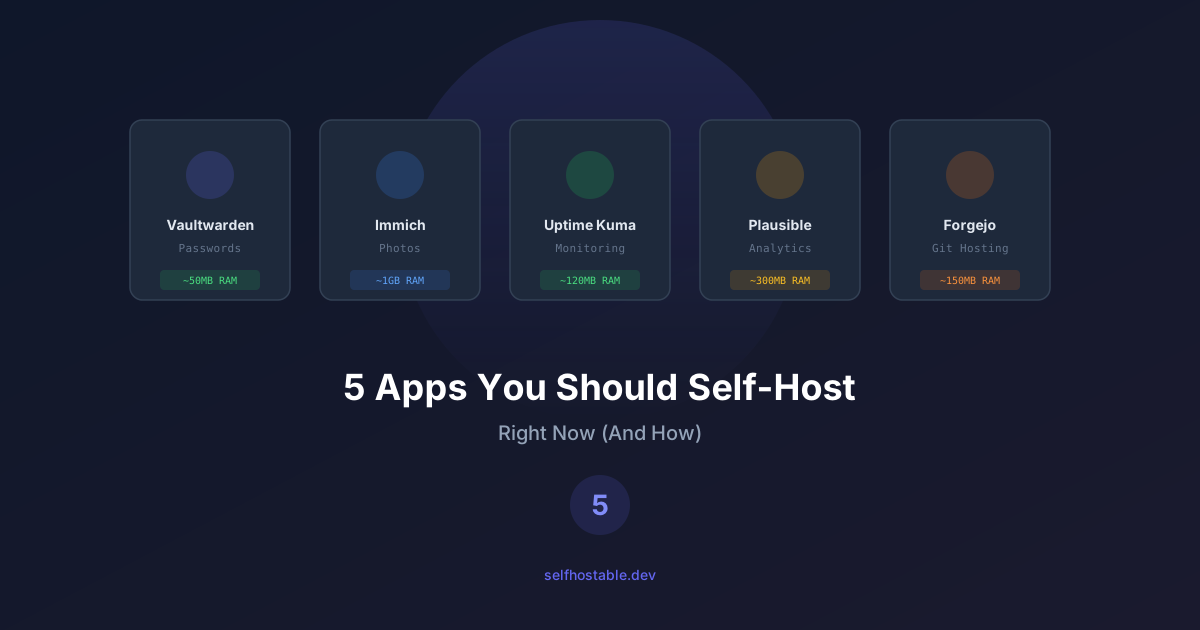
5 Apps Worth Self-Hosting in 2026 (I Ditched the Cloud for These)
These 5 self-hosted apps replaced Google Photos, Bitwarden, and more for me. Each one took under 10 minutes to deploy. Here's exactly how.
Not every app is worth self-hosting. Some are genuinely painful to run. Some offer almost no advantage over their cloud cousins. Some are just masturbation dressed up as infrastructure.
But these five? These are the ones that actually click. They’re surprisingly easy to deploy, immediately useful, and they save you real money or give you real privacy. Each one replaces a paid service you’re probably throwing money at right now.
Let’s go.
1. Vaultwarden — Your Password Manager
Replaces: Bitwarden ($10/year), 1Password ($36/year), LastPass ($36/year) RAM usage: ~50 MB Difficulty: ⭐ Easy
Here’s the thing: your passwords are literally the keys to your life. If you’re still storing them on someone else’s server, I don’t know what to tell you.
Self-host your password manager. Make it the first thing you deploy. Full stop.
Vaultwarden is a lightweight Rust-based Bitwarden server. Same API, same compatibility with all the Bitwarden apps (desktop, mobile, browser extensions), but running on your hardware. It uses almost nothing in terms of resources.
Why This Actually Matters
I get it—password managers are already encrypted, so what’s the big deal? Here’s the thing though:
- Your vault data stays on your server. A breach at their datacenter? Doesn’t touch you.
- No subscription. Forever. Not $10/year, not $36/year—zero.
- You control your own backups and encryption strategy. You’re not praying some SaaS company knows what they’re doing.
- Works with every official Bitwarden client seamlessly. No compromises on the UX side.
I migrated mine about 18 months ago and honestly forgot I even owned it. That’s how much it just works.
Deploy Vaultwarden
# docker-compose.yml
services:
  vaultwarden:
    image: vaultwarden/server:latest
    container_name: vaultwarden
    restart: unless-stopped
    volumes:
      - ./data:/data
    environment:
      - DOMAIN=https://vault.yourdomain.com
      - SIGNUPS_ALLOWED=true  # Set to false after creating your account!
      - WEBSOCKET_ENABLED=true
    ports:
      - "8080:80"
If you’re behind a reverse proxy like Traefik or Coolify, use their labels and drop the ports section.
Post-Deploy Setup
- Open
https://vault.yourdomain.comand make an account - Go back to your compose file and set
SIGNUPS_ALLOWED=false. Don’t skip this step. Seriously. - Redeploy:
docker compose up -d - On your phone/desktop, open Bitwarden, go to Settings → Self-hosted → Server URL, point it at your domain
- Import your existing passwords from wherever they live now
- Set up regular backups of that
./datafolder
Backup note: It’s all SQLite. A simple
cp -r ./data ./data.backuponce a week is a complete backup. I automate this with a cron job.
2. Immich — Your Photo Library
Replaces: Google Photos ($30/year for 100GB), iCloud ($12/year for 50GB), Amazon Photos RAM usage: ~500 MB (with ML), ~200 MB (without) Difficulty: ⭐⭐ Moderate
Immich is probably the most impressive piece of self-hosted software I’ve seen. Google Photos replacement that’s so good you actually want to leave Google. The mobile app is gorgeous. Uploads are fast. The AI search? Genuinely works.
Why Self-Host Your Photos?
Look. Google doesn’t just keep your photos. They scan them. For “features” supposedly, but really for training their ad machine. You’re locked into their ecosystem. Storage costs pile up. And if your account gets flagged for some reason, your entire photo history vanishes.
I had a friend get locked out of their Google account. It took three weeks to get it back. Three weeks without access to 20 years of photos.
With Immich, that’s physically impossible. Your photos are on your server.
Deploy Immich
Immich is a bit more complex—it’s got several services working together. Grab their official compose file:
mkdir -p ~/apps/immich && cd ~/apps/immich

# Get the official compose and env files
wget https://github.com/immich-app/immich/releases/latest/download/docker-compose.yml
wget -O .env https://github.com/immich-app/immich/releases/latest/download/example.env
Edit .env:
# .env
UPLOAD_LOCATION=./library
DB_PASSWORD=your-secure-password-here
IMMICH_VERSION=release
docker compose up -dPost-Deploy Setup
- Hit
http://your-server:2283 - Create an account
- Install the Immich app on your phone
- Turn on automatic backup from your camera roll
- Dump your existing photos in via the web UI or their CLI tool if you’ve got thousands
A Real Talk About Storage
Photos take up space. Plan for it:
- Casual user taking 30-40 photos a month? ~50 GB a year
- Every photo you take plus your partner’s? ~150-200 GB a year
- You’ve got a DSLR habit? Expect 500+ GB a year
Solution: Use a VPS with attached block storage, or mount an NFS share from your home. I went the NFS route and haven’t looked back.
Neat trick: Immich can point at existing photo folders without copying them. If you’ve already got a massive photo library sitting on a drive somewhere, just point Immich at it.
3. Uptime Kuma — Your Monitoring Dashboard
Replaces: UptimeRobot (free tier sucks, Pro $7/month), Pingdom ($15/month), Better Stack RAM usage: ~100 MB Difficulty: ⭐ Easy
Here’s a dark truth: when you self-host, you’re the sysadmin now. If Vaultwarden goes down at 2 AM on a Tuesday, nobody’s waking up to fix it but you.
Uptime Kuma is a sleek self-hosted monitor that watches your services and screams at you when something’s down. Beautiful charts, multiple alert channels, and it’s stupid simple to set up.
I deployed this three years ago and found out within five minutes that my old media server was actually offline and had been for weeks. Nobody had noticed. That’s the value right there.
What It Actually Does
- Monitors HTTP, TCP, DNS, Docker containers, keyword matches, basically everything
- Sends alerts via email, Discord, Telegram, Slack, and 90+ other services
- Public status pages you can share with users
- Tracks response time history so you can spot slowdowns before they become problems
Deploy Uptime Kuma
# docker-compose.yml
services:
  uptime-kuma:
    image: louislam/uptime-kuma:1
    container_name: uptime-kuma
    restart: unless-stopped
    volumes:
      - ./data:/app/data
    ports:
      - "3001:3001"
docker compose up -dPost-Deploy Setup
- Open
http://your-server:3001 - Make an account
- Add monitors for each of your self-hosted apps (HTTP checks are easiest)
- Set up notifications—Discord webhooks take 30 seconds
- Create a public status page at
status.yourdomain.com
What Should You Monitor?
At a minimum:
- Each self-hosted app (HTTP ping)
- Your VPS itself (ICMP ping)
- SSL certificate expiry—this is the one that bites you at 3 AM
- DNS resolution (DNS type check)
- Disk space running low (Docker integration)
4. Plausible Analytics — Your Website Analytics
Replaces: Google Analytics (free but a privacy nightmare), Fathom ($14/month), Simple Analytics ($9/month) RAM usage: ~200 MB Difficulty: ⭐⭐ Moderate
Google Analytics is the default for websites. Also the default for invasive data collection that requires cookie banners.
Plausible is a lightweight alternative. The tracking script is under 1KB. Google’s is 45KB+. Plausible doesn’t use cookies. Plausible is GDPR-compliant by design, so no legal gray zone. And honestly? You get all the numbers that actually matter for a website. Everything else is just noise.
Why Self-Host Analytics?
- No cookie banner nonsense—you’re not tracking individual users
- Privacy first—you’re not siphoning visitor data off to Google
- Lightweight—1KB vs 45KB means your site stays fast
- Data lives with you—not sold to advertisers by some SaaS company
- The dashboard is clean and simple—you see what matters at a glance
I switched a year ago and haven’t missed Google Analytics for a second. Actually, I like looking at it now.
Deploy Plausible
Plausible maintains an official self-hosting setup. Basic deploy:
mkdir -p ~/apps/plausible && cd ~/apps/plausible

# Clone their self-hosting repo
git clone -b v2.1.4 --single-branch https://github.com/plausible/community-edition plausible-ce
cd plausible-ce
Set up the environment:
# Generate a secret key
openssl rand -base64 48

# Edit plausible-conf.env
BASE_URL=https://analytics.yourdomain.com
SECRET_KEY_BASE=your-generated-key
TOTP_VAULT_KEY=another-generated-key
docker compose up -dPost-Deploy Setup
- Go to
https://analytics.yourdomain.com - Make an account and add your site
- Add this to your website (in the
<head>):
<script defer data-domain="yourdomain.com" src="https://analytics.yourdomain.com/js/script.js"></script>- Set up email reports and custom goals
- If you’re coming from Google Analytics, Plausible can import your historical data
5. Gitea/Forgejo — Your Code Hosting
Replaces: GitHub (free tier has limitations, Team $4/user/month), GitLab SaaS, Bitbucket RAM usage: ~150 MB Difficulty: ⭐ Easy
GitHub is great. But does Microsoft really need to host your private code? Gitea (or better yet, Forgejo, the community fork) is a full Git hosting platform that looks and feels exactly like GitHub. On your own server.
Why Self-Host Your Code?
- Private repos without artificial limits—GitHub’s free tier throttles CI minutes
- No vendor lock-in—your code, your server
- Built-in CI/CD—Gitea Actions are GitHub Actions-compatible
- Package registry—host your own npm/Docker/Maven packages
- Issue tracking and project boards native to the platform
Deploy Forgejo
I recommend Forgejo over Gitea because it’s more aggressively committed to staying open-source:
# docker-compose.yml
services:
  forgejo:
    image: codeberg/forgejo:10
    container_name: forgejo
    restart: unless-stopped
    volumes:
      - ./data:/data
      - /etc/timezone:/etc/timezone:ro
      - /etc/localtime:/etc/localtime:ro
    environment:
      - USER_UID=1000
      - USER_GID=1000
    ports:
      - "3000:3000"
      - "2222:22"  # SSH for git operations
docker compose up -dPost-Deploy Setup
- Open
http://your-server:3000—the installer walks you through everything - Create your admin account
- Set up SSH keys so you can
git pushwithout typing passwords - Migrate your GitHub repos (Forgejo has a built-in importer that handles everything)
- Set up Forgejo Actions if you want CI/CD (totally optional)
Migrating from GitHub
The migration tool pulls:
- Full repo history
- Issues and pull requests
- Labels, milestones, releases
- Wiki pages
Go to “New Migration” in the web UI, paste your GitHub repo URL, and it handles the rest.
Bonus: The Complete Stack
Here’s your self-hosted empire with all five running:
| App | Domain | Port | Purpose |
|---|---|---|---|
| Vaultwarden | vault.yourdomain.com | 8080 | Passwords |
| Immich | photos.yourdomain.com | 2283 | Photos |
| Uptime Kuma | status.yourdomain.com | 3001 | Monitoring |
| Plausible | analytics.yourdomain.com | 8000 | Web analytics |
| Forgejo | git.yourdomain.com | 3000 | Code hosting |
Total RAM: ~1 GB. Fits comfortably on a $6/month 4GB VPS with room to spare.
Monthly cost: $6 VPS + $1 domain = $7/month
Services you’re replacing: $100+ a month in SaaS
That’s a 93% savings, plus you get privacy, control, and actual independence.
Getting Started
New to self-hosting? Start with our How to Self-Host Everything: A 2026 Beginner’s Guide for the full VPS and Docker walkthrough.
Also check out our Coolify vs CapRover vs Dokku comparison—these deployment platforms can make spinning up all five apps a one-click operation.
Pick one from this list. Deploy it this weekend. Once you see how stupid-easy it is, you’ll be hooked.
💡 One more thing: If you’re hitting these services remotely, use a VPN. NordVPN with Meshnet lets you reach your self-hosted apps from anywhere without exposing ports to the internet. Check out our Best VPN for Self-Hosters guide for a full breakdown.
Welcome to the self-hosted life. 🏠
Go Deeper
- Self-Host Nextcloud — Full setup guide for your private cloud
- Self-Host Immich — Google Photos replacement in detail
- Backup Your Self-Hosted Apps — Don’t lose your data after setting all this up
- Secure Your VPS — Lock it down before going public
- AdGuard Home — Block ads across your entire network
- Uptime Kuma — Monitor all your new services
Stay in the loop 📬
Get self-hosting tutorials, tool reviews, and infrastructure tips delivered to your inbox. No spam, unsubscribe anytime.
Join 0 self-hosters. Free forever.