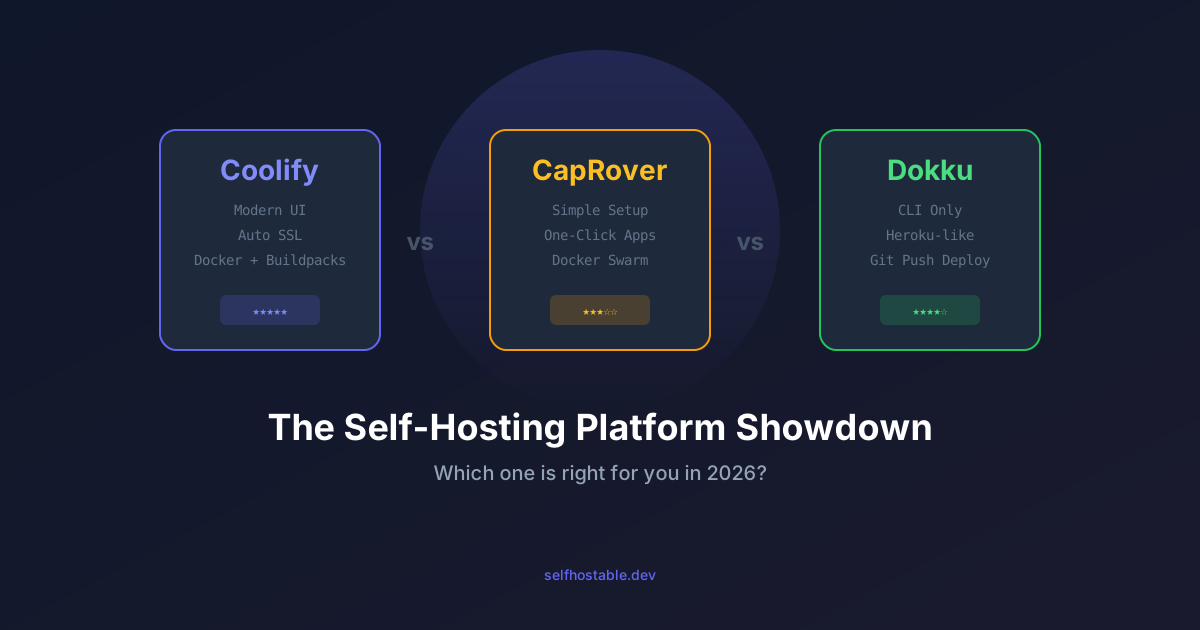
Coolify vs CapRover vs Dokku (2026): Which One Should You Actually Use?
I deployed the same app on all three. Coolify is polished, CapRover is flexible, Dokku is minimal. Here's my honest pick after using each for months.
You’ve got a VPS. You want to deploy apps on it. But the idea of manually wrangling Docker Compose files, Traefik configs, and SSL certificates makes you want to go back to Heroku.
I get it. I’ve been there.
Good news: there are platforms that handle all of this for you — on your own server. The big three in 2026 are Coolify, CapRover, and Dokku.
I’ve deployed dozens of apps across all three. Each one has its fans, and honestly, they’re all pretty good. But which one should you pick? Let me break it down.
The Quick Verdict
| Coolify | CapRover | Dokku | |
|---|---|---|---|
| Best for | Most people | Tinkerers | CLI lovers |
| UI | ⭐⭐⭐⭐⭐ | ⭐⭐⭐ | ❌ (CLI only) |
| Ease of setup | ⭐⭐⭐⭐⭐ | ⭐⭐⭐⭐ | ⭐⭐⭐ |
| One-click apps | 100+ | 50+ | Via plugins |
| Resource usage | ~300 MB | ~200 MB | ~100 MB |
| Multi-server | ✅ | ✅ | ❌ |
| Git push deploy | ✅ | ✅ | ✅ |
| Docker Compose | ✅ | ❌ | ❌ |
| Active development | Very active | Moderate | Stable |
| License | Apache 2.0 | Apache 2.0 | MIT |
TL;DR: Coolify if you want the best overall experience. Dokku if you love the CLI and want minimal overhead. CapRover if you’re stuck between the two.
Coolify: The Modern PaaS
Coolify has become the most popular self-hosting platform, and I understand why. It’s basically a self-hosted Vercel/Netlify/Heroku that actually works, running on your own servers.
What Makes Coolify Special
First thing: the UI is gorgeous. This isn’t some clunky admin panel from 2010. It looks and feels like a modern SaaS product. Dark mode, responsive design, real-time logs that actually update without refreshing. The deployment flow is intuitive. You’re not fighting the interface.
Docker Compose support is a game-changer. Unlike CapRover and Dokku, Coolify can deploy entire Docker Compose stacks. Got a docker-compose.yml with a web app, database, Redis, and some sidecar services? Paste it in. Coolify handles the networking, SSL, routing, the whole deal. This alone was a deal-breaker for me switching from CapRover.
One-click services let you spin up databases, caches, and popular apps without touching config files. Need PostgreSQL? One click. Redis? One click. Plausible Analytics? One click. For someone coming from Heroku, this is comforting.
Setting Up Coolify
Installation is genuinely painless:
curl -fsSL https://cdn.coollabs.io/coolify/install.sh | bashTwo minutes later, you’ve got a full PaaS running on your server, accessible at http://your-ip:8000. No Docker Compose wrestling, no building from source. Just works.
Coolify Strengths
- Multi-server management — I manage three separate VPS instances from one dashboard, and it doesn’t feel janky
- Docker Compose support — Deploy complex multi-container stacks without hand-rolling everything
- Automatic SSL via Let’s Encrypt (applies to everything)
- Built-in monitoring — Resource graphs per app and per server
- Scheduled backups for databases, stored on S3 if you want
- Webhook deployments — Push to GitHub, auto-deploy. Works as expected
- Very active development — New features every week, bugs get fixed fast
Coolify Weaknesses
- Resource hungry — The platform itself uses ~300-500 MB RAM. On a 2 GB VPS, this matters
- Young project — You’ll occasionally hit a bug. The team fixes them quickly, but you’re on the bleeding edge
- Opinionated — Less flexibility than raw Docker if you need weird edge cases
Who Should Use Coolify
Coolify is the right choice for most people. If you want a beautiful, modern platform that just works and you don’t mind the resource overhead, go with Coolify. Pick it if you:
- Want to deploy from Git repositories
- Need Docker Compose support
- Manage multiple servers
- Want a UI that doesn’t make you want to cry
- Came from Vercel/Heroku/Railway and miss the simplicity
CapRover: The Middle Ground
CapRover has been around since 2017 (originally called CaptainDuckDuck) and sits nicely between Coolify’s feature-richness and Dokku’s minimalism.
What Makes CapRover Special
It does one thing well: takes your code or Docker image and deploys it with SSL. The web interface is functional. Not fancy. But it works. The one-click app library covers most of what you actually need.
Custom Dockerfile support is solid. Point it at a repo with a Dockerfile, and it builds and deploys. No surprises.
Setting Up CapRover
# Install CapRover
docker run -p 80:80 -p 443:443 -p 3000:3000 \
  -e ACCEPTED_TERMS=true \
  -v /var/run/docker.sock:/var/run/docker.sock \
  -v captain-data:/captain \
  caprover/caprover
Then configure it via the CLI:
npm install -g caprover
caprover serversetup
CapRover Strengths
- Lower resource footprint (~200 MB) than Coolify
- Stable and battle-tested — It’s been around long enough to have real users
- One-click apps with a decent library
- Cluster mode — Scale across multiple servers using Docker Swarm
- Custom Nginx configs if you need to tweak things
- CLI and web UI both available
CapRover Weaknesses
- No Docker Compose support — Apps are single-container only. This is a real limitation for anything non-trivial
- Dated UI — Functional but not pretty. You get used to it
- Slower development pace — Updates happen, but not at Coolify’s speed
- Docker Swarm reliance (the industry mostly moved on)
- Database management is minimal compared to Coolify
Who Should Use CapRover
CapRover is good for you if:
- You want something lighter than Coolify
- Your apps are genuinely single-container
- Swarm clustering matters for your use case
- You prefer a more proven, battle-hardened platform
- You don’t mind the UI trade-off
Dokku: The Heroku Clone
Dokku calls itself “the smallest PaaS implementation you’ve ever seen.” Accurate. It’s a collection of shell scripts that gives you Heroku-like git push deployments on your own server. No bloat.
What Makes Dokku Special
Minimal overhead. Dokku barely touches your system (~100 MB). Everything else is available for your actual apps. If you’re resource-constrained, this matters.
Heroku compatibility. Already used Heroku? Dokku uses the same buildpacks, same git push workflow, same Procfile. The mental model transfers directly.
Plugin ecosystem. Dokku’s features come from plugins — databases, caching, cron, Let’s Encrypt, all opt-in. You install only what you need.
Setting Up Dokku
# Install Dokku
wget -NP . https://dokku.com/bootstrap.sh
sudo DOKKU_TAG=v0.35.0 bash bootstrap.sh
Then configure via the web installer or straight CLI:
# Add your SSH key
cat ~/.ssh/id_rsa.pub | dokku ssh-keys:add admin

# Create an app
dokku apps:create myapp

# Add a domain
dokku domains:set myapp myapp.yourdomain.com

# Deploy
git remote add dokku dokku@your-server:myapp
git push dokku main
Done.
Dokku Strengths
- Minimal resource usage — ~100 MB overhead means more room for your apps
- Heroku-compatible — Buildpacks and workflows feel familiar
- Rock solid — One of the oldest self-hosting projects around
- Plugin architecture — Install what you need, nothing you don’t
- Simple mental model — Apps, domains, config. That’s the scope
- Excellent documentation
Dokku Weaknesses
- CLI only — No web interface. If you hate the terminal, stop reading
- Single server only — No built-in multi-server support
- No Docker Compose — Single-container apps, like CapRover
- Learning curve — You need to be comfortable with the command line
- Buildpack limitations — Some apps don’t fit the buildpack model
Who Should Use Dokku
Pick Dokku if:
- You’re comfortable (or prefer) the terminal
- Resource efficiency is your priority
- Your apps are simple (not complex multi-container stacks)
- You’ve used Heroku and miss that workflow
- You want the most battle-tested, no-nonsense option
Head-to-Head Comparisons
Deployment Workflow
Coolify: Connect your GitHub/GitLab repo → configure build settings in the UI → deploy. Or paste a docker-compose.yml. Webhooks auto-deploy on push.
CapRover: Connect your repo or upload a tarball → CapRover builds your Dockerfile → deploy. CLI or web UI both work.
Dokku: git push dokku main. Buildpacks auto-detect your app type. Done. If you need a Dockerfile, use that instead.
Winner: Coolify for flexibility, Dokku for simplicity.
Database Management
Coolify: One-click PostgreSQL, MySQL, MongoDB, Redis, etc. Built-in backup scheduling to S3. Connection strings auto-configured. You can actually forget about backups.
CapRover: One-click app library for databases. Management is more hands-on. No built-in backup scheduling (you remember to do it yourself, right?).
Dokku: Plugin-based. dokku postgres:create mydb. dokku postgres:link mydb myapp. Backup plugins exist but aren’t built in.
Winner: Coolify, and it’s not close.
SSL/TLS
All three support automatic Let’s Encrypt certificates. Coolify and CapRover handle it automatically. Dokku requires the dokku-letsencrypt plugin (two commands, no big deal).
Winner: Tie.
Monitoring
Coolify: Built-in resource monitoring. Graphs per app, per server, in real time.
CapRover: Basic monitoring in the dashboard.
Dokku: No built-in monitoring. Use external tools like Uptime Kuma.
Winner: Coolify.
Community and Support
Coolify: Very active Discord. GitHub issues get responses fast. Sponsored development (sustainable).
CapRover: Moderate community. GitHub-based support.
Dokku: Large, established community. Documentation is excellent. Slack channel is active.
Winner: Tie, but for different reasons.
Resource Usage Comparison
I tested all three on a fresh Hetzner CAX11 (2 vCPU ARM, 4 GB RAM) with the same app deployed (Node.js API + PostgreSQL):
| Metric | Coolify | CapRover | Dokku |
|---|---|---|---|
| Platform RAM (idle) | 380 MB | 210 MB | 95 MB |
| Platform RAM (1 app) | 520 MB | 310 MB | 140 MB |
| Platform disk usage | 1.2 GB | 800 MB | 300 MB |
| Boot time | ~45s | ~30s | ~15s |
| First deploy time | ~3 min | ~4 min | ~2 min |
On a tight-resource VPS (1-2 GB RAM), Dokku gives you the most headroom. But real talk: a 4 GB Hetzner VPS costs €6/month. The resource difference stops mattering at that price point.
Our Recommendation
Choose Coolify if…
- You’re new to self-hosting
- You want the best overall experience (and it shows)
- You need Docker Compose support
- You manage multiple servers
- You want built-in database management and backups
Choose CapRover if…
- You want a lighter alternative to Coolify
- Docker Swarm clustering actually matters for your setup
- You prefer a more proven, stable platform
- Your apps are simple (single container)
Choose Dokku if…
- You love the command line
- Resource efficiency is critical
- You have a Heroku background
- You deploy simple apps
- You want maximum control with minimum overhead
The 2026 Pick: Coolify
For most people reading this, Coolify is the best choice in 2026. It’s the most feature-rich, actively developed, and beginner-friendly. Yes, it uses more resources. But a 4 GB Hetzner VPS costs €6/month. You get plenty of room.
The Docker Compose support is the real differentiator. Most real-world apps need multiple containers. With Coolify, you paste YAML. With the others, you’re rebuilding things or deploying separate apps.
That said, all three are excellent projects. Use what fits your brain. The best platform is the one you’ll actually maintain.
Getting Started
Ready to pick one? Here are the quick-start links:
- Coolify: coolify.io — One-command install
- CapRover: caprover.com — Docker-based install
- Dokku: dokku.com — Shell script install
And if you’re starting from scratch, check out our beginner’s guide to self-hosting for the full VPS setup walkthrough.
Related Reads
- Best VPS Providers for Self-Hosting — Need a server first? Here’s where to get one
- Docker Compose for Beginners — The foundation all three platforms build on
- Secure Your VPS — Lock down your server before deploying anything
- Set Up Nginx Proxy Manager — If you skip Coolify and go manual, you’ll need a reverse proxy
- Set Up Traefik — The reverse proxy power users prefer
Happy self-hosting! 🚀
Stay in the loop 📬
Get self-hosting tutorials, tool reviews, and infrastructure tips delivered to your inbox. No spam, unsubscribe anytime.
Join 0 self-hosters. Free forever.