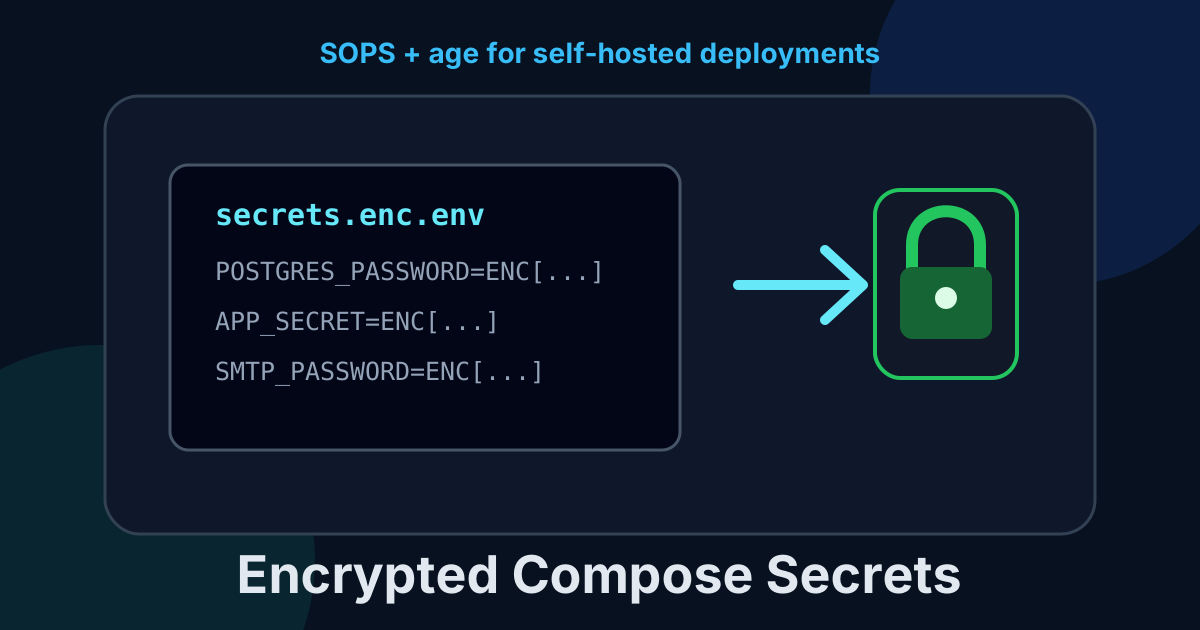
Encrypt Docker Compose Secrets With SOPS and age
Keep Docker Compose secrets in Git without committing plaintext. Set up SOPS and age for a small, auditable self-hosted deployment workflow.
A .env file starts innocent. One database password, one application key, maybe a Cloudflare token. A few months later it is the one file that cannot go in Git, cannot be copied safely, and absolutely must be present when the server fails at an inconvenient time.
That is not a secrets strategy. It is a scavenger hunt with production access attached.
SOPS and age solve a very practical version of this problem: encrypt the secrets file, commit the encrypted result, and decrypt it only on machines allowed to deploy. No hosted vault, no browser UI, no long-running secret service to babysit.
This is my preferred middle ground for a small Compose stack. It is not a replacement for HashiCorp Vault when applications need short-lived database credentials or live rotation. For static values that change occasionally, it is much less machinery and much easier to recover under pressure.
The short version
age creates a small public/private key pair. The public recipient key encrypts a file; the private identity key decrypts it.
SOPS sits on top and encrypts values inside YAML, JSON, .env, and other configuration formats. It leaves enough structure visible to review a change in Git without making every diff look like television static.
The resulting workflow is simple:
- create an age key on a trusted admin machine;
- put its public recipient in
.sops.yaml; - create
secrets.enc.envwith SOPS and commit it; - keep the private key outside the repository and out of backups that are not encrypted;
- decrypt to a restrictive runtime file immediately before
docker compose up.
The encrypted file is safe to commit. The private key is not. Mixing up those two facts is how a neat security setup becomes a very public incident.
🚀NordVPN
Secure your server with a reliable VPN.
Affiliate link — we may earn a commission at no extra cost to you.
Why not just use a private repository?
A private repository is an access control boundary, not encryption at rest for your secrets. Repository collaborators, compromised GitHub accounts, CI logs, local clones, and accidental mirrors can all turn one plaintext .env commit into a problem that survives deletion.
Git history is especially unforgiving. Removing a secret from the newest commit does not remove it from every clone, cache, pull request, or old commit someone already fetched. Rotate it, then clean history if you must. Do not pretend git rm makes the original leak disappear.
SOPS makes the repository useful during a restore. Your Compose file, configuration, and encrypted values can live together. A fresh server still cannot decrypt anything without the identity key, which is exactly the point.
If your server is exposed to the internet, pair this with the basics from our VPS hardening checklist. Encryption in Git does not rescue an SSH account protected by a weak password.
What this setup is good at
Use SOPS and age when your secrets are mostly static:
- database passwords for a Compose application;
- API tokens used by a deployment;
- SMTP credentials;
- application encryption keys;
- a few trusted operators who need the same deployment repository.
It is a bad fit when your application needs to fetch and renew credentials while it runs. It also does not stop a root user on the deployment host from reading a decrypted runtime file. The goal is to protect secrets in Git, laptops, and ordinary repository workflows, not to make a compromised server harmless.
For that wider server blast-radius problem, rootless Docker is a useful second layer. Different lock, different door.
Install SOPS and age
Install both tools using their official release instructions for your distribution. On a workstation with Homebrew, for example:
brew install sops ageOn Debian or Ubuntu, use the packages or verified upstream releases appropriate for your release. Check both commands before you create anything important:
sops --version
age --version
Do this first on an admin workstation. The private identity belongs there, in a password manager attachment or another protected backup, not casually copied across every server you own.
Step 1: create an age identity
Create a private identity file with restrictive permissions:
mkdir -p ~/.config/sops/age
age-keygen -o ~/.config/sops/age/keys.txt
chmod 600 ~/.config/sops/age/keys.txt
The command prints a recipient that starts with age1. You can print it again without exposing the private identity:
age-keygen -y ~/.config/sops/age/keys.txtCopy that age1... recipient. It is public by design, so it can appear in your repository. Never commit keys.txt; it contains the private identity and a comment that makes it very easy to recognize in a leaked archive.
Back it up before continuing. A lost age identity means your encrypted files are not recoverable. There is no password reset, support queue, or dramatic “forgot key” button.
Step 2: tell SOPS which recipient can decrypt
At the root of the Compose repository, create .sops.yaml and replace the sample recipient with the one you just generated:
creation_rules:
  - path_regex: secrets\.enc\.env$
    age: age1replace-this-with-your-public-recipient
Commit this file. It tells SOPS how to encrypt matching files and contains no private material.
For a shared repository, list more than one recipient separated by commas. Each named operator can decrypt with their own private identity. Add a new recipient before removing an old one, then run sops updatekeys secrets.enc.env so existing encrypted files receive the new access policy.
Step 3: create an encrypted Compose environment file
Point SOPS at your private key for the current shell:
export SOPS_AGE_KEY_FILE="$HOME/.config/sops/age/keys.txt"Create the encrypted file with your editor:
sops secrets.enc.envUse ordinary dotenv syntax inside it:
POSTGRES_PASSWORD=replace-with-a-long-random-value
APP_SECRET=replace-with-a-second-long-random-value
SMTP_PASSWORD=replace-with-the-real-smtp-password
When you save and exit, SOPS encrypts the values and writes metadata that records the age recipient. The file remains text, but the values should now be ciphertext. Review it before committing:
git diff -- secrets.enc.envYou should see ENC[...] values, not usable passwords. If you see plaintext, stop and fix that before Git sees it.
Generate secrets locally rather than inventing memorable ones:
openssl rand -base64 32Do not put the generated output directly in a command history as an environment assignment. Copy it into the SOPS editor instead.
Step 4: decrypt only for deployment
Compose reads dotenv files well, but it does not decrypt SOPS files itself. Use a small deployment script that creates a temporary runtime file with owner-only permissions and removes it when the command exits.
Create deploy.sh and make it executable:
#!/usr/bin/env bash
set -euo pipefail

umask 077
runtime_env="$(mktemp .runtime-secrets.XXXXXX)"
cleanup() { rm -f "$runtime_env"; }
trap cleanup EXIT INT TERM

: "${SOPS_AGE_KEY_FILE:?Set SOPS_AGE_KEY_FILE to the age identity path}"
sops --decrypt secrets.enc.env > "$runtime_env"
docker compose --env-file "$runtime_env" up -d --remove-orphans
chmod 700 deploy.shThe umask 077 is not decorative. It ensures the temporary file is readable only by its owner. The trap removes it whether Compose succeeds, fails, or you interrupt the script.
Your compose.yaml can then reference values normally:
services:
  app:
    image: ghcr.io/example/app:1.0.0
    environment:
      DATABASE_URL: postgres://app:${POSTGRES_PASSWORD}@db:5432/app
      APP_SECRET: ${APP_SECRET}

  db:
    image: postgres:16
    environment:
      POSTGRES_DB: app
      POSTGRES_USER: app
      POSTGRES_PASSWORD: ${POSTGRES_PASSWORD}
Do not commit .runtime-secrets.*. Add it and any plaintext fallback files to .gitignore:
.runtime-secrets.*
secrets.env
*.key
keys.txt
Then test the whole path before you call it finished:
SOPS_AGE_KEY_FILE="$HOME/.config/sops/age/keys.txt" ./deploy.sh
docker compose ps
The failure modes worth planning for
The first trap is letting a decrypted value escape to logs. Do not use set -x in the deploy script. Do not run docker compose config in a CI job that prints substituted environment variables. Keep diagnostic output deliberately boring.
The second is storing the age identity on the same VPS and then congratulating yourself. That can still be acceptable for a single-person setup if the host is hardened and backed up securely, but it no longer protects against host compromise. A workstation-held key and an interactive deploy is stricter; a dedicated deployment key in a protected CI secret is more automated.
The third is treating encrypted configuration as a backup plan by itself. Back up the encrypted repository and the private identity through separate, tested paths. A backup that restores only one half is just a future outage with better documentation.
Finally, rotate any secret that was ever committed in plaintext, even if the repository is private. Encrypting it today does not change who may already have copied it yesterday.
Keep it boring
There are grander secrets systems. Some are the right choice. A fleet with dynamic credentials, multiple environments, and service identity should use something built for that reality.
For one or a few Compose servers, SOPS plus age is the boring answer I trust: encrypted secrets in version control, a public key policy anyone can review, and one private identity you can protect properly. Start with the most sensitive .env file in your stack, rotate its values, and make the next server rebuild less of a treasure hunt.
For a useful next step, make sure those encrypted Compose files are included in a tested self-hosted backup strategy. Configuration you cannot restore is just a comforting story.
Stay in the loop 📬
Get self-hosting tutorials, tool reviews, and infrastructure tips delivered to your inbox. No spam, unsubscribe anytime.
Join 0 self-hosters. Free forever.