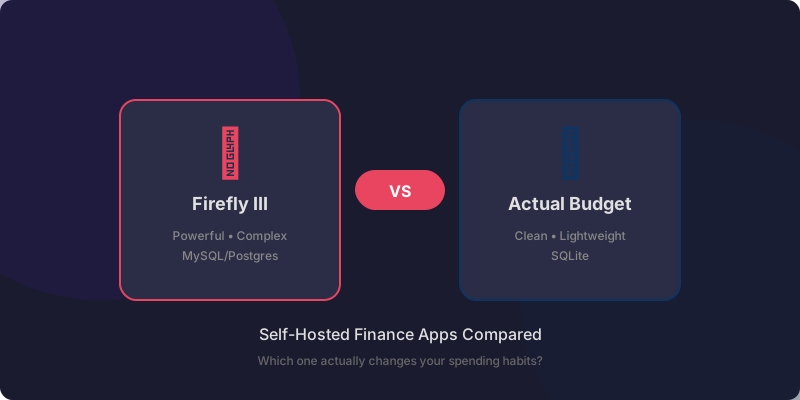
Firefly III vs Actual Budget (2026): Which Self-Hosted Finance App Actually Works?
I ran both Firefly III and Actual Budget for months to track my personal finances. One is incredibly powerful. The other actually made me want to open it every day. Here's my honest comparison.
Let me guess: you’ve got a dozen subscriptions, four bank accounts, two credit cards, and no real idea where your money actually goes each month. That was me. For years.
I tried Mint. I tried YNAB. I tried spreadsheets that lasted exactly three days. And every time, I hit the same wall — my data sitting on someone else’s server, a subscription fee I didn’t need, or both.
That’s when I went looking for self-hosted alternatives. And honestly? I found two that stand out from the crowd: Firefly III and Actual Budget.
I’ve been running both for months. Let me save you the trial and error.
The Short Version
| Firefly III | Actual Budget | |
|---|---|---|
| Best for | Data hoarders & accountants | People who want a budget that works |
| Learning curve | Steep | Gentle |
| Bank import | Spectacular (80+ currencies, auto-import) | Good (CSV, manual) |
| Budgeting model | Envelope + accounting | Zero-based (YNAB-like) |
| Mobile experience | PWA, functional | PWA, actually pleasant |
| Setup time | 1-2 hours | 15 minutes |
| Resource usage | ~300MB RAM, MySQL/Postgres | ~60MB RAM, SQLite |
| Docker available | ✅ | ✅ |
Why I Even Went Looking
I’ll be honest — tracking finances is boring. It’s the flossing of adulthood. Everyone knows they should do it, almost nobody actually does.
My breaking point was a random Saturday when I realized I’d spent $200 on takeout in one week. I had no idea I was spending that much. The money was just… gone.
So I decided to fix this. For real this time. And I wanted my data under my roof — no subscription, no bank selling my transaction history.
Firefly III: The Power User’s Dream
I installed Firefly III first. And wow. It’s impressive.
This thing can handle multiple currencies, complex transaction rules, recurring bills, budgets, piggy banks, liabilities, and more charts than a Bloomberg terminal. If you’re the kind of person who wants to categorize every single expense into a tree of sub-categories nested five levels deep — this is your app.
The good stuff:
Setting up automatic bank import was actually smooth. Firefly III supports the GoCardless API (used to be Spectre/Salt Edge) which connects to most European banks. I linked my main checking account, set up rules to automatically categorize transactions, and within a week I had a dashboard showing exactly where every dollar went.
The rules engine is genuinely powerful. You can say: “If the description contains ‘AMAZON’ AND the amount is over $50, categorize as ‘Shopping/Online’ AND tag as ‘Check manually’.” It learns fast.
The not-so-good stuff:
Firefly III is a lot. The dashboard throws so many charts and numbers at you that I felt overwhelmed. There’s a “balance” chart, an “expense breakdown” pie chart, a “forecast” chart, an “income vs expense” comparison… it’s like staring at your finances under a microscope.
And it needs a real database — MySQL or Postgres. On a $6 VPS, that’s a meaningful chunk of your resources. My Hetzner CX22 was running at 70% RAM just with Firefly III and a few other small services.
I stuck with it for two months. I learned a lot about my spending. But I wasn’t opening it daily. Maybe weekly. Which kind of defeated the purpose.
Actual Budget: The One That Stuck
Then I tried Actual Budget. And honestly? I should have started here.
Actual Budget is inspired by YNAB (You Need A Budget). If you’ve ever used YNAB, you’ll feel right at home. It uses the zero-based budgeting method — every dollar has a job. You allocate money to categories, spend from those categories, and the app tells you what’s left.
What got me:
The first time I opened Actual, I had a working budget in 15 minutes. No reading documentation. No configuring rules. I added my accounts, set up categories (Rent, Groceries, Takeout… especially Takeout), and started tracking.
The interface is clean. Really clean. No clutter, no charts that don’t matter. You see your budget categories, your balances, and a running total. That’s it.
The mobile PWA is also genuinely good. I added it to my phone’s home screen, and it feels like a native app. I log expenses while waiting for coffee. It takes ten seconds.
Actual uses SQLite — no database server needed. Running in Docker, it sits at about 60MB of RAM. That’s nothing. I moved it to my Raspberry Pi alongside a few other services and didn’t feel a thing.
The trade-off:
Actual’s bank import is more manual. There’s no auto-sync with your bank — you download a CSV or QFX file and upload it. Some people hate this. I actually prefer it — it forces me to look at my transactions manually, which keeps me honest about my spending.
But if you want fully automated import from 80+ banks? That’s Firefly III’s territory.
Where They Differ — The Real Talk
Budgeting Philosophy
This is the biggest difference. Firefly III treats budgeting like accounting — you set limits, track against them, and look at historical reports. It’s great for understanding the past.
Actual Budget treats budgeting like a game — you give every dollar a job, then spend from those jobs. It’s great for controlling the present.
I found that Actual’s approach actually changed my behavior. When I saw I had $87 left in “Takeout” for the month, I cooked. With Firefly III, I just saw a chart after the fact showing I’d overspent.
Server Resources
Firefly III needs MySQL/Postgres. That’s an extra service to maintain, back up, and update. On a small VPS, it matters.
Actual uses SQLite. One file. Back up that file and you’ve backed up your entire budget. I sync it between machines using Syncthing and it just works.
Import Options
Firefly III: GoCardless/Salt Edge for automatic bank sync, CSV import, plenty of third-party tools.
Actual Budget: CSV, QFX, OFX import. Manual but reliable. There’s also a SimpleFIN sync option if your bank supports it.
If you’ve got 50+ transactions daily and want everything automated: Firefly III.
If you check your accounts once a week and batch-import: Actual Budget.
Security Matters Here
These are your financial records. Every transaction, every account balance, everything. You don’t want this leaking.
When I set up either of these, I make sure they’re only accessible through my VPN. No exposing finance tools directly to the internet — that’s just asking for trouble.
🚀NordVPN
Secure your self-hosted finance tools with a VPN. Never expose your budget app to the open internet.
Affiliate link — we may earn a commission at no extra cost to you.
Seriously — even if you don’t use a VPN for anything else, use one for your finance apps. A cheap VPS with NordVPN’s Meshnet or a simple WireGuard tunnel keeps your budget data private.
What I Actually Recommend
Here’s where I land after months with both:
Pick Firefly III if:
- You love data and reports
- You want fully automated bank sync
- You have multiple currencies or complex finances
- You don’t mind maintaining a database server
Pick Actual Budget if:
- You want a budget that changes your spending habits
- You want something running in 15 minutes
- You’re on a small VPS or Raspberry Pi
- You prefer clean UI over feature density
For me? I’m on Actual Budget now. It stuck. Something about the zero-based approach clicked in a way that Firefly III’s accounting view never did. I check it daily. My takeout spending is down 40%. That’s a win.
But I can totally see the Firefly III fans reading this and thinking I’m crazy for giving up those charts. Different tools for different people, I guess.
Next Steps
Pick one. Set it up tonight. Start tracking.
The best budget app is the one you actually use. Both of these are free, open source, and live on your own server. That’s already better than any subscription service.
If you need a server to run it on, grab a cheap VPS — I’ve been happy with Hetzner, and their CX22 is plenty for either app.
And please, lock it down with a VPN. Your financial data is worth protecting.
🚀NordVPN
Keep your self-hosted budget app private with Meshnet or a dedicated IP. Your finances deserve it.
Affiliate link — we may earn a commission at no extra cost to you.
Written on May 20, 2026, from my home office, running Actual Budget on a Raspberry Pi 4 with Syncthing for backups.
Stay in the loop 📬
Get self-hosting tutorials, tool reviews, and infrastructure tips delivered to your inbox. No spam, unsubscribe anytime.
Join 0 self-hosters. Free forever.