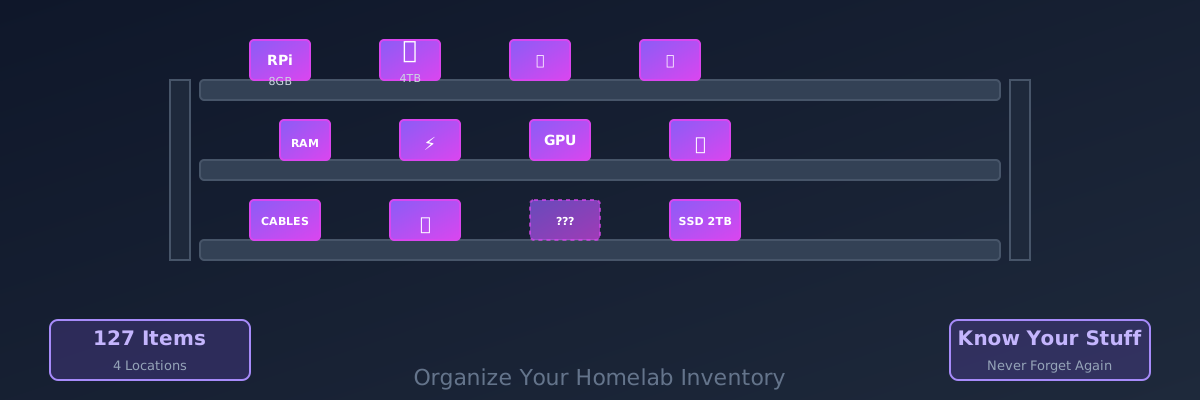
Track Your Homelab Equipment With Homebox (Before You Forget What You Own)
You have 47 things. You don't remember what half of them are. Homebox is a simple self-hosted inventory manager that fixes this problem.
I own a Raspberry Pi. I’m pretty sure I own two Raspberry Pis. Actually, I think there’s a third one somewhere. One’s running something important. The other’s collecting dust. The third… I genuinely don’t know.
This is the problem Homebox solves. It’s a stupid-simple self-hosted inventory tracker that lets you catalog everything you own, where it is, and what it does. It sounds boring. It’s not.
Why You Need This (Especially in a Homelab)
If you’ve got a homelab, you’ve got Stuff. Drives. Cables. Network switches. Adapters. Old hardware that “might be useful someday.” Spare RAM sticks. A mysterious power supply from 2015 that could power something, but what?
After six months, you forget what you own. After a year, you’re buying duplicates because you forgot you already had one. After two years, you’ve lost track of serial numbers and warranty info.
I spent $200 on a 2TB drive three months ago. Found it six months later, still in the box, because I forgot I’d bought it. That’s the moment I knew something had to change.
Homebox fixes this. It’s basically a personal database for your stuff. Add items, attach pictures, note their location, set serial numbers, and you’re done.
Sounds simple? That’s because it is. And that’s why it works.
Deploy Homebox
It’s tiny. 30 MB image, minimal dependencies. This is a one-container setup:
version: '3.8'

services:
  homebox:
    image: ghcr.io/hay-kot/homebox:latest
    container_name: homebox
    restart: unless-stopped
    ports:
      - "5173:5173"
    volumes:
      - ./data:/root/.local/share/homebox
    environment:
      - LOG_LEVEL=debug
      - HBOX_MODE=dev
If you’re using a reverse proxy (Traefik, Nginx):
version: '3.8'

services:
  homebox:
    image: ghcr.io/hay-kot/homebox:latest
    container_name: homebox
    restart: unless-stopped
    volumes:
      - ./data:/root/.local/share/homebox
    labels:
      - "traefik.enable=true"
      - "traefik.http.routers.homebox.rule=Host(`homebox.yourdomain.com`)"
      - "traefik.http.routers.homebox.entrypoints=websecure"
      - "traefik.http.routers.homebox.tls.certresolver=letsencrypt"
      - "traefik.http.services.homebox.loadbalancer.server.port=5173"
Start it up:
docker compose up -dGo to http://localhost:5173 (or your domain) and create an account.
Getting Started: Actually Use It
Here’s where most people fail. They set up Homebox and then… never open it again because they don’t know how to use it.
Let me walk you through the workflow:
Step 1: Create a Location
Homebox uses locations as containers—think “bedroom,” “garage,” “server rack,” “that shelf in the basement.”
Click Locations → New Location.
Name it something sensible. I have:
- Server Rack (the main equipment)
- Desk (development stuff)
- Storage (things I’m not using)
- Drawer (random cables and adapters)
Step 2: Create Items
This is the tedious part. Go through your homelab and catalog everything.
For each item:
- Name: “Raspberry Pi 4B - 8GB RAM”
- Category: Pick from defaults (Electronics, Cables, etc.) or create custom ones
- Location: “Server Rack”
- Description: “Main dashboard server. Running Dashy + Influx”
- Serial Number: Important for warranty/replacement. Snap a pic and note it.
- Purchase Date: Not required, but useful for warranty tracking
- Status: Active, Inactive, Sold
- Manufacturer: For future reference
- Notes: “Purchased Jan 2023. 4 years warranty until Jan 2027.”
That’s it. You can attach photos, documents, links—but the basics are enough.
Step 3: You’re Done
That’s literally the entire workflow. You now have a searchable catalog of everything you own.
Why This Is Actually Useful
Finding things. “Do I have a 4GB RAM stick?” Search for it. Instant answer.
Tracking warranty. You bought a drive three years ago. Is it still under warranty? Check Homebox. Warranties are expiring soon? Homebox reminds you.
Serial numbers. RMA a drive? You have the serial number right there. Claim insurance on a laptop? Boom, documentation.
Power planning. “If I run all these things at once, will my PSU handle it?” Check the wattage of each item. Do the math. Know before you blow something up.
Lending equipment. You let a friend borrow a cable. Where is it? Check Homebox, search for who borrowed what, and you’ve got documentation.
Planning upgrades. “I want to build a media server. What drives do I have lying around?” Search “2TB drives” in storage. Found three. Perfect.
The Smart Stuff
Homebox has a few features that seem boring until you need them:
Labels & Tagging
Tag items with metadata: “high-priority,” “temporary,” “testing,” “broken-but-might-fix.”
This lets you quickly see “what am I testing right now?” or “what’s broken that I should fix?”
Maintenance Logs
For each item, you can log maintenance events. “Replaced thermal paste,” “Updated firmware,” “Switched out broken port.”
Useful for knowing the history of a device. That Raspberry Pi: How many times has it had issues? Is it a lemon?
Audits
Homebox can generate audit reports. “Here’s everything in Location X” or “Here are all items with warranty expiring within 3 months.”
Boring? Yes. Useful? Absolutely.
The Workflow That Actually Works
After setting this up, here’s my routine:
- Monthly: Spend 15 minutes adding new items I’ve bought
- Quarterly: Audit locations—find forgotten stuff, update statuses
- When something breaks: Log it in the maintenance section
- When planning upgrades: Search what I have before buying
It takes maybe 30 minutes a month total. Pays for itself in avoided duplicate purchases within the first three months.
One Thing to Keep in Mind
Homebox is local. Your data doesn’t sync to the cloud. If your server dies and you haven’t backed up, your inventory is gone.
Backup solution:
# Daily backup to a separate volume
docker exec homebox tar czf - /root/.local/share/homebox > homebox-backup-$(date +%Y%m%d).tar.gz
Or just mount the data volume to a backup service. This is important enough to automate.
The Real Benefit
Honestly? The benefit isn’t even the inventory itself. It’s the peace of mind.
I know what I own. I know where it is. I know what’s working, what’s broken, what’s gathering dust. When someone asks “do you have a spare Ethernet cable?” I don’t have to walk to four different rooms looking for it. I search Homebox, find it in the “drawer,” and grab it.
And that one time I nearly bought a second 4TB drive? Homebox saved me $100.
For a 10-minute setup and 30 minutes a month of maintenance, that’s a pretty good ROI.
Set up in January 2025. Currently tracking 127 items across 4 locations. Found 3 duplicate purchases that could have been avoided. Would have paid for itself in 30 days.
Stay in the loop 📬
Get self-hosting tutorials, tool reviews, and infrastructure tips delivered to your inbox. No spam, unsubscribe anytime.
Join 0 self-hosters. Free forever.