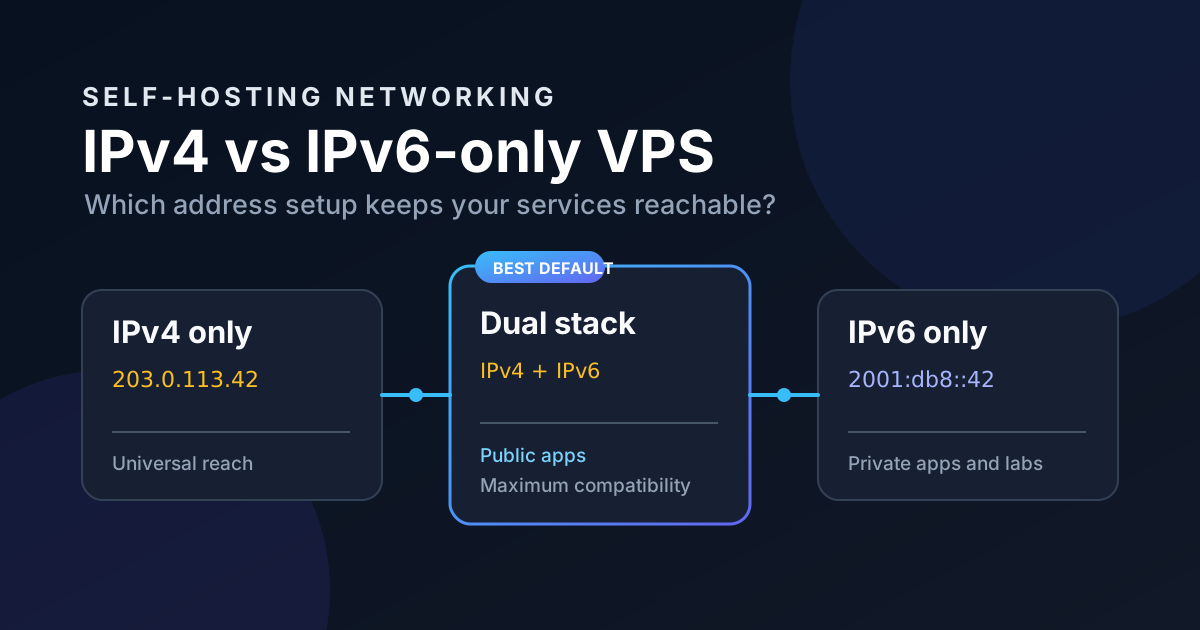
IPv4 vs IPv6-Only VPS for Self-Hosting
Should you save money with an IPv6-only VPS? Compare IPv4, IPv6-only, and dual-stack hosting before exposing your self-hosted apps.
An IPv6-only VPS often looks like a bargain. Same CPU, same RAM, same disk, a lower monthly price because a public IPv4 address is missing. It is tempting to call that free money.
For a quiet internal service, it can be. For a public self-hosted stack, it can also turn a €5 server into a weekend spent asking why a client cannot reach your app. IPv6 is not the problem. Assuming every network around you is ready for it is the problem.
The short answer
Buy a dual-stack VPS if this is your first public server, if you host anything for other people, or if you want a setup that works from hotel Wi-Fi, mobile networks, old office networks, and random customer connections.
An IPv6-only VPS is a good fit when the service is private behind Tailscale, WireGuard, or a VPN, or when you are deliberately learning IPv6 and accept a few sharp edges. It is not automatically the cheap version of a normal VPS.
An IPv4-only VPS still works, obviously. I would not choose one on purpose in 2026 unless the provider gives you a compelling reason. Native IPv6 costs very little operationally once it is there, and it gives your server a proper future-facing address instead of another layer of NAT gymnastics.
What the address choices actually mean
| VPS type | Public reachability | Best use | Main catch |
|---|---|---|---|
| IPv4-only | Nearly universal | Legacy apps, simple public sites | No native IPv6 path |
| Dual-stack | IPv4 and IPv6 | Public apps, APIs, reverse proxies | Usually costs slightly more |
| IPv6-only | IPv6 clients only by default | Private services, labs, VPN-only access | Some users and services cannot connect |
IPv4 has one major advantage: it is everywhere. A public IPv4 address remains the safest way to make a service reachable from networks you do not control.
IPv6 has the cleaner model. Your VPS receives globally routable addresses instead of hiding behind carrier-grade NAT, and you do not need to fight for a scarce IPv4 address. That does not mean every visitor, webhook sender, package mirror, or third-party API has working IPv6.
Dual-stack gets boring compatibility. Boring is a feature when the server is hosting your password manager, a status page, or the little app you promised a friend would be available today.
The problem with an IPv6-only public app
Imagine you deploy a photo gallery on an IPv6-only VPS. It works from your home connection, your phone on 5G, and the terminal where you set it up. You ship it.
Then a friend opens the link from a network that only has IPv4. The browser has no route to the server. There is no useful application error, no bad container log, and no amount of restarting Caddy will fix it. The packets simply never arrive.
This happens more than people expect. Enterprise Wi-Fi, captive portals, older residential equipment, and some VPN exit networks can still be IPv4-only or have broken IPv6. You may be fully IPv6-capable and never notice until someone else needs the service.
The same issue applies to integrations. A webhook provider may resolve your hostname but connect only over IPv4. An uptime monitor might not support IPv6 checks on its inexpensive plan. A container image registry or an authentication dependency may be reachable, but a less common vendor endpoint may not be.
DNS does not solve a missing route
A common trap is adding only an AAAA record, loading the domain successfully from one connection, and treating DNS as done.
An AAAA record tells clients where an IPv6 service lives. It does not create an IPv4 route for clients that lack IPv6. A domain with only AAAA records is intentionally unavailable to IPv4-only clients.
For a dual-stack server, publish both records:
app.example.com.  300  IN  A     203.0.113.42
app.example.com.  300  IN  AAAA  2001:db8:1234::42
Modern clients normally try the route that works best. This is the practical default: one hostname, two paths, no special instructions for visitors.
If you use Cloudflare, a reverse proxy, or another edge service, check exactly what its proxy mode supports for incoming and outgoing traffic. “The dashboard shows an IPv6 address” is not a network design.
When IPv6-only is genuinely a smart choice
I like IPv6-only VPS plans for services that should not be public in the first place. A private Grafana instance, a home-lab control plane, a backup relay, or an internal Git forge behind a mesh VPN are good examples.
In that design, the public internet is not the client. Your devices join the private network through Tailscale, WireGuard, or an equivalent tool. The IPv6 address is then an infrastructure detail rather than a promise that every coffee-shop network can reach your app.
They are also useful for disposable development machines. If you are testing Ansible, building containers, or running a temporary CI worker, the price saving is real and compatibility hardly matters. Just do not quietly promote that test box into a public production service six months later.
A third good use is an IPv6 education project. IPv6 becomes much less mysterious once you configure firewall rules, DNS, and a reverse proxy yourself. Do it on a service where a mistake costs you an hour, not your users’ trust.
A sensible public-server setup: dual stack plus a firewall
For most self-hosters, the setup I recommend is simple:
- Choose a VPS with one public IPv4 address and a routed IPv6 range.
- Publish both
AandAAAArecords for public services. - Expose only ports 80 and 443 to the internet.
- Put every app behind Caddy, Traefik, or another reverse proxy.
- Keep databases, Docker APIs, and admin panels on private networks.
Do not forget the IPv6 firewall. This is where people get burned. On IPv4, a provider firewall or NAT sometimes masks a sloppy rule set. With IPv6, services can have globally routable addresses directly. That is good, but it means your firewall must be intentional.
On Ubuntu with UFW, check both protocol families after you add rules:
sudo ufw allow OpenSSH
sudo ufw allow 80/tcp
sudo ufw allow 443/tcp
sudo ufw enable
sudo ufw status verbose
Then inspect the provider firewall as well. I prefer defense in depth here: provider firewall for broad exposure, host firewall for the machine, and Docker networks so a database does not accidentally become a public service.
If Docker is part of your stack, read the Docker network security guide before publishing ports. ports: is an exposure decision, not harmless Compose decoration.
Do not use a VPN as an excuse to expose everything
A VPN is excellent for private administration. It is not a reason to leave Portainer, PostgreSQL, or your SSH daemon open to the entire internet with weak controls.
Use a VPN to reduce the public surface area. Keep the web apps that need public access behind HTTPS, and reach administrative services over the private tunnel. This also makes an IPv6-only private VPS much more practical because your own devices can be prepared for it.
🚀NordVPN
Need encrypted access on untrusted networks while you manage a VPS? NordVPN helps protect that connection.
Affiliate link — we may earn a commission at no extra cost to you.
For a homelab, I still prefer a self-hosted WireGuard or Tailscale-style mesh for reaching private services. A commercial VPN is useful when you are working from public Wi-Fi, but it does not replace access controls on the server.
The IPv6-only compromise options
You can place an IPv4-capable reverse proxy or CDN in front of an IPv6-only origin. Visitors connect to the edge over IPv4 or IPv6; the edge connects to your origin over IPv6. This can work well for a public website.
But be honest about what you added: another provider, another control plane, another set of failure modes, and potentially another bill. It is a valid architecture, not a magic checkbox.
NAT64 and DNS64 are another option in controlled environments. They help IPv6-only clients reach IPv4 services. They do not make an IPv6-only server universally reachable from IPv4-only clients, which is the direction most public-site owners care about.
A cheap IPv4 address is often cheaper than the operational complexity you introduce to avoid it. That is the part VPS comparison tables rarely tell you.
Test from both sides before you call it finished
After DNS propagates, test the hostname explicitly:
curl -4 -I https://app.example.com
curl -6 -I https://app.example.com
The first command confirms an IPv4 route works. The second confirms IPv6 works. Run both from a network that supports the relevant protocol, or use independent external monitoring.
Also test the real user flow: log in, upload a file, receive a webhook, reset a password. A green HTTP response for the landing page does not prove your reverse proxy, SMTP callbacks, and application integrations are reachable the way you think they are.
My rule of thumb
- Public website, SaaS, shared app, or family service: dual stack.
- Private dashboard or infrastructure admin: IPv6-only is fine behind a VPN.
- Tiny budget experiment: IPv6-only can be a great deal, as long as you label it an experiment.
- Unsure: buy dual stack and spend your time self-hosting something useful.
IPv6-only hosting is not reckless. It is a specific tool for a specific network boundary. The mistake is treating it as an invisible discount on a normal public VPS.
Set up both address families when the public needs to reach you, close the ports that do not need to exist, and test from outside your own network. That is less exciting than chasing the cheapest plan. It is also how your services keep working when someone else tries to use them.
Stay in the loop 📬
Get self-hosting tutorials, tool reviews, and infrastructure tips delivered to your inbox. No spam, unsubscribe anytime.
Join 0 self-hosters. Free forever.