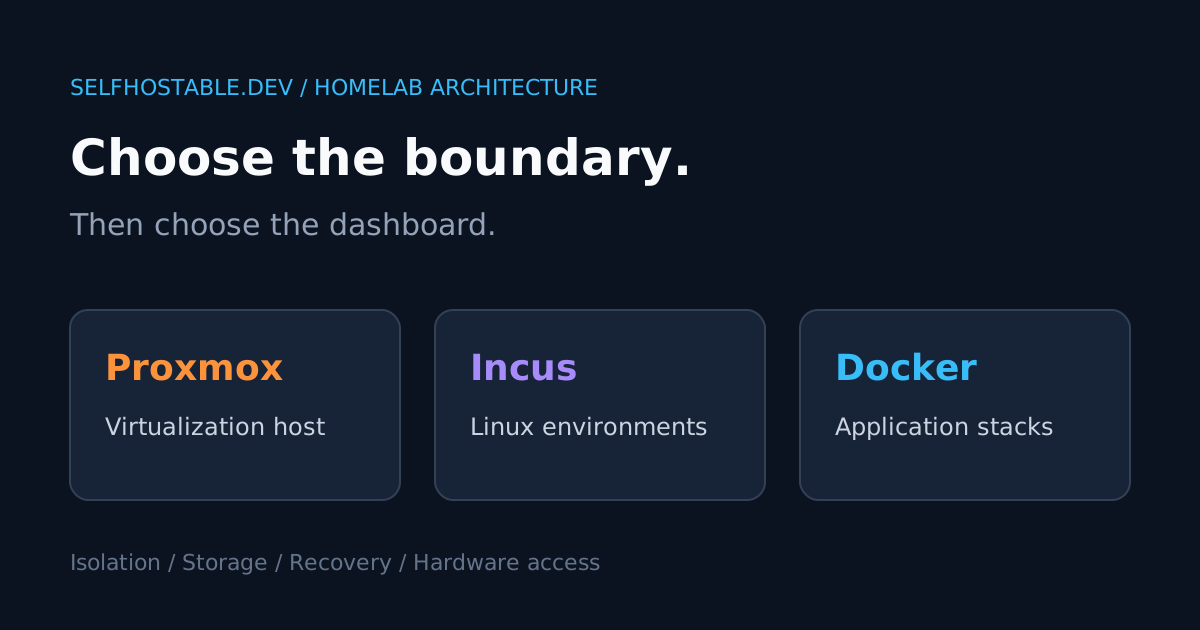
Proxmox vs Incus vs Docker for Your Homelab
Compare Proxmox, Incus, and Docker for a homelab: isolation, storage, backups, hardware access, and the simplest architecture for your self-hosted applications.
Proxmox vs Incus vs Docker sounds like a straightforward homelab comparison. It isn’t. These tools overlap, but they sit at different layers, and treating them as interchangeable is how a simple photo server becomes a weekend of nested networking.
My opinion: start with the fewest layers that satisfy your actual isolation requirements. A hypervisor is useful when you need separate machines. It is not a prerequisite for running three Compose projects.
This is an architecture comparison based on the projects’ documentation, not a performance benchmark or a claim that I ran identical workloads on all three. The recommendations below are judgments about operational trade-offs. No invented RAM charts required.
The short answer
- Choose Docker on Linux when your main job is running applications that already ship container images and Compose examples.
- Choose Incus when you want to manage separate Linux environments, plus virtual machines when a workload needs its own kernel.
- Choose Proxmox VE when you want a dedicated virtualization host with a web-based workflow for guests, storage, and backups.
- Combine Proxmox and Docker when you need both: create a Linux VM, then run your Compose stacks inside it.
The last option is not cheating. Proxmox manages the machine boundary; Docker manages the applications within that machine. Incus can also host a Linux VM that runs Docker.
If you’re still deciding where the hardware should live, our VPS vs dedicated server vs homelab comparison answers a different question. Here, we’re choosing the software layer on that host.
First, stop using “container” as one category
Docker application containers package an application and its dependencies. You normally manage the web service, database, and worker as separate services, with Compose describing their relationship. That separation makes upgrades and configuration changes easier to reason about.
Incus system containers provide a fuller Linux userspace. Think of an environment in which you manage several services, packages, and processes much as you would on a Linux server. They share the host’s kernel, rather than booting their own.
Incus also manages virtual machines. Those guests have their own kernel, which matters if you need a different operating system or kernel functionality unavailable on the host. The Incus explanation of containers and VMs lays out this distinction clearly.
Proxmox VE manages KVM virtual machines and LXC containers through a virtualization-focused platform. Its containers are system containers, not a substitute for the Docker image and Compose workflow. A Proxmox guest can be the place where that workflow lives.
I would decide whether a workload needs a separate kernel before choosing the management interface. Otherwise, you’re comparing dashboard screenshots while skipping the boundary that actually matters.
What each option is good at
| Question | Docker on Linux | Incus | Proxmox VE |
|---|---|---|---|
| Main unit you manage | Application containers and stacks | System containers and VMs | VMs and LXC guests |
| Separate guest kernel | Not for ordinary Linux containers | Yes for VMs | Yes for VMs |
| Natural Compose workflow | Directly on the host | In a suitable guest | In a suitable guest |
| Best fit | Application hosting | Linux environment management | Dedicated virtualization host |
| Main extra responsibility | Host and app lifecycle | Host, instances, storage, networking | Hypervisor, guests, storage, networking |
This is a comparison of common deployment models, not an exhaustive feature matrix. Each platform has extensions and integrations. The useful question is which model makes your normal maintenance boring.
Docker: the shortest path from README to running app
For a server dedicated to a handful of self-hosted apps, Docker has an obvious advantage: many projects document it first. You can keep configuration in Git, use named volumes or bind mounts, and recreate application containers without treating each one as a pet server.
That convenience does not eliminate host administration. You still need a patched Linux host, sensible network exposure, disk monitoring, and application-aware backups. Docker is packaging and lifecycle tooling, not an outsourced operations department.
I prefer this option when there is one administrator, one trust domain, and no requirement for separate operating systems. Read our Docker Compose beginner’s guide if the application layer is the part you actually need to learn.
The weak spot is mixing unrelated privileged workloads on the same host. A container with broad host mounts or access to the Docker socket can undermine the isolation you thought you had. Adding another Compose project name does not create a new security boundary.
Incus: separate Linux environments without making everything a VM
Incus is attractive when “an application” really means “a small Linux environment with several services.” You can separate environments, apply instance configuration, and manage system containers and VMs with the same tool family.
System containers avoid booting a separate kernel for each environment. That is an architectural reason to consider them, not a promise that every workload will use a specific amount less memory. Measure your own workload before buying hardware around an assumed savings figure.
The trade-off is a different deployment model from the Docker examples in application READMEs. Inside a system container, you may be managing packages and service units. Inside a VM, you may be running Docker and taking on the extra guest lifecycle deliberately.
I would choose Incus for a Linux-heavy lab where separate environments are the point: development servers, test distributions, internal services, and workloads that benefit from instance-level management. I would not introduce it solely to avoid writing a small Compose file.
Proxmox VE: a host whose job is hosting machines
Proxmox makes sense when the physical machine is infrastructure rather than one application server. You want to create guests, inspect them in a web interface, manage their virtual disks, and maintain a clear separation between the host and workloads.
The official installation guide recommends the ISO installation path. Its installer configures disks and the base system, so treat installation as a planned host rebuild. Back up existing data and verify the target disks before touching a machine you already use.
For Docker workloads, my default recommendation is a Linux VM. It gives the Docker host its own kernel and a familiar environment without adding nested system-container permissions to your troubleshooting list. It is a recommendation for clarity, not a claim that Docker cannot run inside a suitably configured system container.
The cost is more administration. You patch the virtualization host, patch the guest, and update the application containers. That’s worth it when guest boundaries solve a real problem; it’s busywork when they don’t.
Isolation: a VM is a different boundary, not a force field
Ordinary Linux application containers and system containers share their host kernel. Namespaces and resource controls separate their views and limit resources, but a shared kernel remains a shared component. VMs introduce a separate guest kernel and a different isolation boundary.
That makes VMs a sensible preference for workloads you want separated more strongly, or for operating systems that cannot share the Linux host kernel. It does not mean a VM can safely expose an unauthenticated admin panel. Guest security and management-plane security still matter.
Docker’s security documentation describes the daemon attack surface and the consequences of powerful access. Our rootless Docker guide explores reducing host-level privileges, but rootless mode does not turn shared-kernel containers into VMs.
Keep Proxmox, Incus management APIs, and Docker administration interfaces private. Use a private access network, strong authentication, and permissions appropriate to each administrator. A pretty login screen is not a reason to publish the control plane to the internet.
Storage and backups: count the recovery steps
The most revealing comparison is not “which supports snapshots?” It is “what must I reconstruct after this disk dies?” Write the answer down before choosing your platform.
With Docker directly on Linux, recovery usually means reinstalling the host, restoring configuration and secrets, restoring application data, and recreating the containers. Database consistency still matters. Copying a live database directory is not automatically a valid backup.
With Incus or Proxmox, guest backups and snapshots can help you recover the environment as well as its files. You must still understand which storage is included. A mounted external dataset, passed-through disk, or network share may require a separate backup plan.
Snapshots are useful checkpoints, not automatically independent backups. A snapshot on the same failed storage cannot rescue you from losing that storage. A guest backup that cannot leave the host is not the offsite copy you wanted.
My preference is two recovery tests: restore the guest or host environment, then verify the application data itself. Log in, open a file, query the database, and check the date of the restored records. “The VM boots” is only the first line of the acceptance checklist.
Hardware access: decide this before migrating
Media servers, smart-home controllers, and storage-heavy applications can change the answer. A GPU, USB radio, or disk that works directly on Linux may need extra planning when a guest boundary sits in the way.
For VM PCI passthrough, check platform support, firmware settings, and device grouping before promising yourself an easy migration. Proxmox documents IOMMU requirements in its installation guidance. Your exact hardware still decides what is practical.
System-container device access has its own permissions and security implications. Docker device mappings inside that environment add another layer. The arrangement may be valid, but “it starts” and “it has the isolation I intended” are different tests.
I would make a list of physical devices and test the hardest one first. A disposable Jellyfin test with representative media tells you more than migrating your entire library and discovering afterward that hardware transcoding isn’t available.
Three sensible architectures
A small application server
Use a supported Linux distribution with Docker Compose. Separate application networks, avoid broad host privileges, and set resource limits so one noisy container cannot monopolize the machine.
Keep backups outside the host and document how to recreate it. This architecture is not less serious because there is no hypervisor dashboard. Simplicity is a reliability feature when it removes failure modes you don’t need.
A Linux experimentation lab
Use Incus for separate Linux environments and choose a VM whenever the workload needs a separate kernel. Keep experiments apart from the environments that store data you care about.
Be explicit about where application installation happens. Are you managing packages in a system container, or managing Compose stacks in a VM? Pick a repeatable pattern instead of changing the model for every service.
A mixed-workload home infrastructure box
Use Proxmox VE, with a Linux VM for Docker applications and separate guests for workloads that justify separation. Budget memory, storage, and backup capacity for the entire arrangement, not just the advertised needs of your apps.
One host is still one physical failure domain. Several VMs do not make a dead power supply less dead. Clustering and high availability are separate design tasks, not benefits you get by naming the machine “production.”
Where a commercial VPN fits, and where it doesn’t
A commercial VPN can be relevant if you also want selected outbound traffic to use a provider’s exit network. That is separate from administering your own homelab privately. Buying a VPN does not harden a hypervisor, replace guest isolation, or make a public control panel safe.
If you want that outbound service, the link below is an affiliate link. Keep its role limited to the networking problem it actually solves.
🚀NordVPN
A commercial VPN option for outbound privacy, not a replacement for private homelab administration or guest isolation.
Affiliate link — we may earn a commission at no extra cost to you.
My verdict: choose the boundary, then the dashboard
For application hosting alone, I would start with Docker on Linux. For managing multiple Linux environments, I would consider Incus. For a dedicated machine running a mix of guest operating systems and workloads, I would choose Proxmox VE and keep application management inside appropriate guests.
Don’t migrate because the architecture diagram looks more professional. Migrate when you can name the problem the extra layer solves: a separate kernel, a distinct recovery unit, a hardware requirement, or a clearer administration boundary.
Your next step: pick one non-critical workload and write a restore checklist for the architecture you want. Deploy it, back it up, and restore it somewhere disposable. If you cannot explain that recovery path, you haven’t finished choosing your platform.
Stay in the loop 📬
Get self-hosting tutorials, tool reviews, and infrastructure tips delivered to your inbox. No spam, unsubscribe anytime.
Join 0 self-hosters. Free forever.