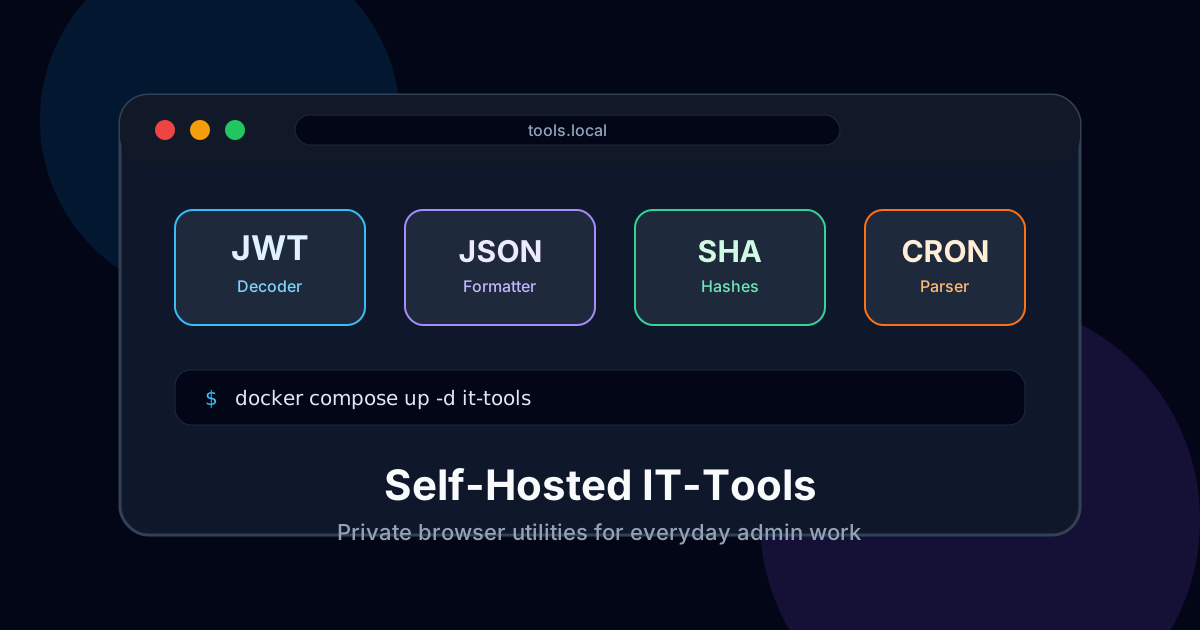
Self-Host IT-Tools: A Private Browser Toolbox for Everyday Admin Work
Stop pasting JWTs, hashes, and random production snippets into public converter websites. IT-Tools gives you a clean self-hosted toolbox that runs in your browser and takes five minutes to deploy.
I have a confession: I used to paste way too much stuff into random online tools.
JWT decoders. Base64 converters. JSON formatters. Unix timestamp calculators. Regex testers. Tiny utilities that feel harmless until you realize the input is often copied from logs, headers, payloads, or config files that really should not leave your machine.
The final straw was a webhook debugging session where I almost pasted a real bearer token into a public JWT decoder. I caught it before hitting enter, stared at the tab for a second, and thought: okay, this is dumb. I self-host password managers and monitoring stacks, but my daily admin toolbox is still some mystery website with ads.
That’s how I ended up running IT-Tools. It is not glamorous. It will not replace your terminal. But for quick browser-based conversions, it is one of those small apps that quietly removes a bad habit.
Why self-host a toolbox?
Because copy-paste is where discipline goes to die.
When you’re tired, you don’t want to run three commands, read a man page, and remember the exact OpenSSL flags. You want to paste a string, decode it, and move on. That’s why public utility sites are everywhere.
The problem is that the data you paste into them is often more sensitive than you think:
- JWTs from staging apps
- internal URLs
- webhook payloads
- UUIDs tied to real customer records
- stack traces with environment variables
- Base64 blobs from config files
- cron expressions for production jobs
Is every public tool stealing your data? Probably not. But I don’t need to make that bet when the self-hosted option is this easy.
Honestly, IT-Tools is better than the random SEO-stuffed converter sites anyway. No cookie banners. No fake download buttons. No sidebar asking me to try a PDF editor from 2009.
What IT-Tools includes
IT-Tools is basically a Swiss Army knife for developers and sysadmins. The project has a huge list of utilities, but the ones I actually use are pretty boring:
- JWT parser — inspect token claims without sending them to a public site
- Base64 encode/decode — still useful, still easy to mess up manually
- JSON formatter — clean up ugly API responses fast
- Hash generators — SHA-256, MD5, bcrypt, and friends
- UUID generator — handy when testing APIs
- Cron parser — because
*/7 * * * *always deserves a sanity check - URL parser — split query strings without squinting
- YAML/JSON conversion — great for quick config work
- Regex tester — dangerous in the wrong hands, which means me
Most tools run client-side in the browser. That matters. Even when you host it on your own server, the app is mostly static assets served to your browser, then the browser does the work.
Still, I prefer hosting it myself. I control the version, the domain, the access rules, and the logs. Boring control is underrated.
🚀NordVPN
Secure your server with a reliable VPN.
Affiliate link — we may earn a commission at no extra cost to you.
The five-minute Docker setup
This is one of the easiest Docker Compose files you’ll write.
Create a folder:
mkdir -p ~/it-tools
cd ~/it-tools
Create docker-compose.yml:
services:
  it-tools:
    image: ghcr.io/corentinth/it-tools:latest
    container_name: it-tools
    restart: unless-stopped
    ports:
      - "8080:80"
Start it:
docker compose up -dOpen:
http://your-server-ip:8080That’s it. No database. No Redis. No 14 environment variables named like they were invented during an incident call.
If you’re just testing on a local machine, you can stop here. For a real VPS or homelab service, put it behind your reverse proxy.
Put it behind a domain
I use Caddy for small internal tools because the config is almost suspiciously short. With Caddy running on the same Docker network, my site block looks like this:
tools.example.com {
  reverse_proxy it-tools:80
}
If you’re proxying to the host port instead:
tools.example.com {
  reverse_proxy 127.0.0.1:8080
}
For Nginx Proxy Manager, create a new Proxy Host:
- Domain:
tools.example.com - Scheme:
http - Forward hostname/IP: your Docker host or container name
- Forward port:
8080if using the host port - SSL: request a Let’s Encrypt certificate
I would not expose this naked on the public internet without some kind of access control. Yes, most processing happens client-side. No, I still don’t want my private toolbox indexed, probed, or used as a public utility for strangers.
Add basic protection
You have a few decent options.
The lazy-but-fine option is HTTP Basic Auth at the reverse proxy. It is not fancy, but it keeps random traffic out.
With Caddy:
tools.example.com {
  basicauth {
    admin $2a$14$REPLACE_WITH_CADDY_HASHED_PASSWORD
  }
  reverse_proxy 127.0.0.1:8080
}
Generate the hash with:
caddy hash-passwordThe better option is SSO with Authentik, Authelia, or whatever you already use. I like SSO for tools I open from multiple devices, because browser password prompts get annoying quickly.
The paranoid option is to keep it VPN-only. This is my favorite for admin utilities. Put IT-Tools on an internal DNS name and only allow access from your WireGuard/Tailscale/NordVPN Meshnet network. If you never expose the service publicly, you remove a whole class of nonsense from your life.
My actual setup
I run IT-Tools on the same small VPS that hosts a few dashboards and admin utilities. It sits behind Caddy, protected by SSO, and I have it bookmarked as tools.example.com.
I also keep a local copy on my laptop for travel. That sounds excessive until you’re debugging a broken API in a hotel Wi-Fi situation and every website decides to load like it’s 2006.
The app barely uses resources. On my box it is basically noise:
CPU: mostly idle
RAM: tiny
Disk: static app size plus Docker image
Database: none
Maintenance: pull new image occasionally
That last part is why I like it. Some self-hosted apps are a pet. This one is a houseplant made of plastic.
What I would not use it for
I would not use IT-Tools as a team-wide secret processing platform. If your team needs formal handling for production secrets, use proper tools: Vault, SOPS, sealed secrets, a password manager, or whatever matches your workflow.
IT-Tools is for everyday conversions and quick checks. It is not an audit trail. It is not access governance. It is not a compliance program in a Docker container.
Also, don’t assume “self-hosted” automatically means “safe.” If you paste a secret into a browser tab while a sketchy extension is installed, that is still bad. If you expose the app publicly and forget auth, that is also bad.
Self-hosting gives you control. It does not magically fix sloppy habits. I say this as someone with several sloppy habits.
A few small tweaks I recommend
First, pin versions if you care about predictable updates:
image: ghcr.io/corentinth/it-tools:2024.10.22-7ca5933I usually run latest for low-risk internal tools, but if this is part of a work environment, pin it and update intentionally.
Second, add it to your dashboard. Homepage, Homarr, Dashy, whatever. If it is one click away, you’ll use it instead of searching “jwt decoder online” like a gremlin.
Third, keep it internal if you can. I know public HTTPS with SSO is convenient, but private network access is cleaner for admin tools.
Fourth, add it to backups only if you customize deployment files. There is no app data to preserve, but your Compose file and reverse proxy config should live in Git or your backup system.
When IT-Tools is worth it
Self-host IT-Tools if you:
- regularly decode tokens, format JSON, or test cron expressions
- handle logs or payloads with sensitive-ish data
- want fewer random utility websites in your workflow
- already run Docker somewhere
- like tiny apps that solve tiny problems well
Skip it if you never use these tools or you’re happy doing everything in the terminal. There is no moral victory in self-hosting something you don’t use.
For me, this one stuck because it meets the best self-hosting test: I forgot it exists until I need it, and then I’m glad it’s there.
What to do next
Deploy IT-Tools locally first. Use it for a week. If you catch yourself using it instead of public converter sites, move it behind your reverse proxy and add proper access control.
And the next time you’re about to paste a token into a random website, pause for half a second. That little pause is exactly why this tool is worth running.
Stay in the loop 📬
Get self-hosting tutorials, tool reviews, and infrastructure tips delivered to your inbox. No spam, unsubscribe anytime.
Join 0 self-hosters. Free forever.