Self-Host Penpot: The Open-Source Figma Alternative That's Actually Ready
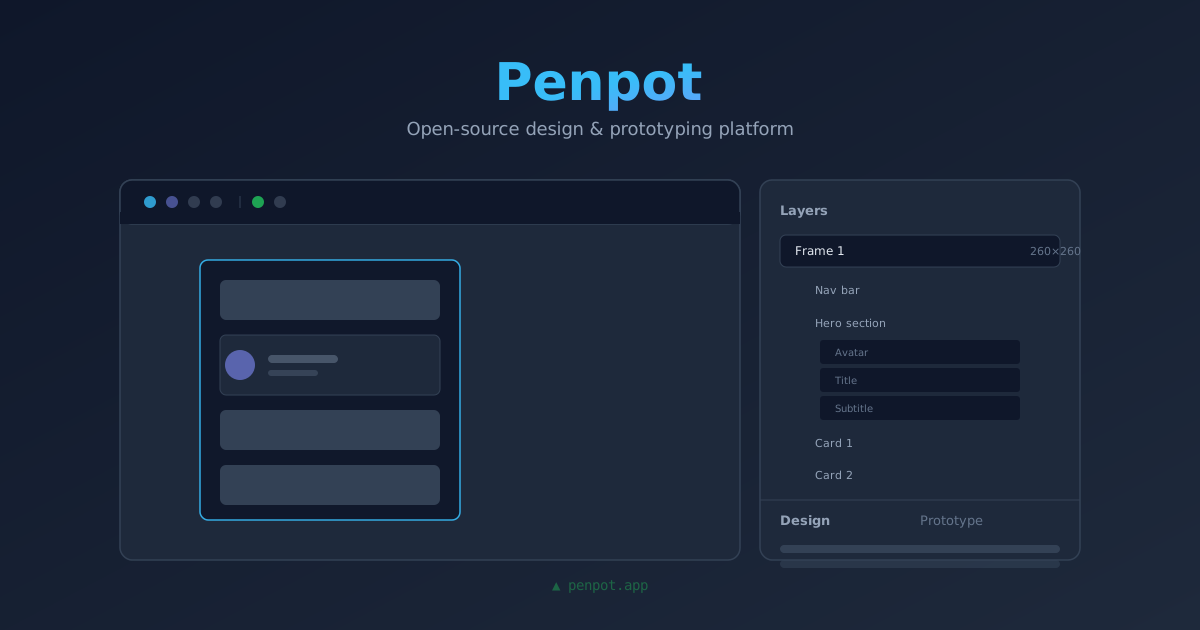
Penpot is the open-source design and prototyping platform that's been quietly replacing Figma for self-hosters. Here's how to deploy it with Docker Compose in under 10 minutes.
I’ve been building side projects and websites for years, and every single time I hit the same wall: I need a design tool, and my options were either pay Figma $12/month or struggle with something half-baked.
Figma is great, don’t get me wrong. But it’s also a SaaS subscription that adds up, stores all your designs on someone else’s servers, and changes pricing whenever they feel like it. After their 2024 pricing debacle (remember when they cut the free tier from 3 projects to… 1?), I started looking for alternatives.
Penpot is that alternative. It’s open-source (MPL 2.0), browser-based, built for both designers and developers, and — this is the part that got me — it runs on my own server with Docker Compose in about two minutes of actual work.
I’ve been running it for six months now. Here’s what it actually looks like.
What Penpot does differently
Most open-source design tools try to clone the Figma experience. Penpot does too, but it adds a few things Figma still doesn’t do well:
- SVG-native. Penpot uses SVG as its native file format. That means your designs are actual, spec-compliant SVG files under the hood — not proprietary blobs. You can open a Penpot file in Illustrator, Inkscape, or even a text editor.
- Developer-first mindset. Every element has inspect mode, CSS export, and SVG copy right in the UI. Developers don’t need a separate “handoff” tool.
- Self-hosted by design. It’s not an afterthought. The official Docker images are well-maintained, the compose file is straightforward, and it runs on a $6 VPS without complaint.
- Real-time collaboration. Multiple people can work on the same file simultaneously. I’ve had four people editing a design at once without issues.
The catch? The plugin ecosystem isn’t there yet. If you rely on Figma plugins for your daily workflow, Penpot will feel empty. But for UI/UX design, wireframing, and prototyping, it’s genuinely there.
How I run it
I host Penpot on a $6 Hetzner CX22 with a few other lightweight services. It idles at around 300MB RAM and barely touches the CPU. Here’s the compose file I use:
# docker-compose.yml
version: '3.8'

services:
  penpot-frontend:
    image: penpotapp/frontend:latest
    ports:
      - "127.0.0.1:9001:80"
    environment:
      - PENPOT_FLAGS=enable-registration
      - PENPOT_PUBLIC_URL=https://penpot.yourdomain.com
    depends_on:
      - penpot-backend
      - penpot-exporter
    restart: unless-stopped
    networks:
      - penpot-network

  penpot-backend:
    image: penpotapp/backend:latest
    environment:
      - PENPOT_FLAGS=enable-registration
      - PENPOT_PUBLIC_URL=https://penpot.yourdomain.com
      - PENPOT_DATABASE_URI=postgresql://penpot:penpot@postgres:5432/penpot
      - PENPOT_REDIS_URI=redis://redis:6379
      - PENPOT_ASSETS_STORAGE_BACKEND=assets-s3
      - PENPOT_STORAGE_ASSETS_S3_BUCKET=penpot
      - PENPOT_STORAGE_ASSETS_S3_REGION=us-east-1
      - PENPOT_STORAGE_ASSETS_S3_ENDPOINT=http://minio:9000
      - PENPOT_STORAGE_ASSETS_S3_ACCESS_KEY_ID=penpot
      - PENPOT_STORAGE_ASSETS_S3_SECRET_ACCESS_KEY=penpot-secret
    depends_on:
      postgres:
        condition: service_healthy
      redis:
        condition: service_started
    restart: unless-stopped
    networks:
      - penpot-network

  penpot-exporter:
    image: penpotapp/exporter:latest
    environment:
      - PENPOT_PUBLIC_URL=https://penpot.yourdomain.com
      - PENPOT_REDIS_URI=redis://redis:6379
    depends_on:
      - penpot-backend
    restart: unless-stopped
    networks:
      - penpot-network

  postgres:
    image: postgres:16-alpine
    environment:
      - POSTGRES_DB=penpot
      - POSTGRES_USER=penpot
      - POSTGRES_PASSWORD=penpot
    volumes:
      - penpot-postgres:/var/lib/postgresql/data
    healthcheck:
      test: ["CMD-SHELL", "pg_isready -U penpot"]
      interval: 10s
      timeout: 5s
      retries: 5
    restart: unless-stopped
    networks:
      - penpot-network

  redis:
    image: redis:7-alpine
    volumes:
      - penpot-redis:/data
    restart: unless-stopped
    networks:
      - penpot-network

  minio:
    image: minio/minio:latest
    command: server /data --console-address ":9001"
    environment:
      - MINIO_ROOT_USER=penpot
      - MINIO_ROOT_PASSWORD=penpot-secret
    volumes:
      - penpot-minio:/data
    restart: unless-stopped
    networks:
      - penpot-network

volumes:
  penpot-postgres:
  penpot-redis:
  penpot-minio:

networks:
  penpot-network:
    driver: bridge
A few notes on this setup:
I run Penpot behind a reverse proxy (Caddy, in my case — there’s a reason it’s my favorite). Here’s the Caddyfile block:
penpot.yourdomain.com {
    reverse_proxy penpot-frontend:80
}
The MinIO setup is optional but recommended. Penpot needs somewhere to store assets (images, SVGs, etc.). MinIO gives you an S3-compatible object store without depending on an external provider. Without it, Penpot falls back to the filesystem, which works but makes backups slightly more annoying.
Postgres and Redis are standard. No special config needed. Just make sure both are healthy before Penpot starts.
What I wish I knew day one
Registration is enabled by default when you set PENPOT_FLAGS=enable-registration. This means anyone who finds your Penpot instance can create an account. Once you’ve got your team set up, either disable registration or put it behind your SSO. If you’re running Authentik (we have a guide on that), you can add Penpot as an OIDC application.
The exporter container is not optional. I tried skipping it to save resources. Big mistake. Exporting designs to PDF or SVG from the frontend directly doesn’t work without it. The exporter is a headless Chromium that handles rendering. It’s another 200MB, but it’s worth it.
First login is slow. Penpot initializes the database schema, creates the default profiles, and generates some internal assets. It takes about 30-60 seconds after the containers are up. Give it a minute before you start clicking around.
Should you switch from Figma?
Depends on your situation.
If you’re a solo maker, freelancer, or small team — yes. Penpot does everything you need for UI design, wireframing, and prototyping. You save $144/year (Figma Professional) and keep your designs on your hardware. The SVG-native format means you’re never locked in.
If you’re a design team of 10+ people who live in Figma’s plugin ecosystem and component libraries — probably not yet. The plugin gap is real. But run it in parallel. Let your developers use it for handoff while designers stay in Figma. You might be surprised how fast people migrate.
Me? I switched completely about three months ago. I still open Figma occasionally when someone sends me a .fig file, but I export it to SVG and import it into Penpot. The workflow is smooth enough that I don’t miss the subscription.
Getting started
If you want to try it:
- Copy the compose file above
- Set up DNS for
penpot.yourdomain.com - Run
docker compose up -d - Wait 60 seconds for initialization
- Open your domain, create an account, start designing
That’s it. No license key, no credit card, no vendor lock-in.
🚀NordVPN
Running a public-facing design tool? Secure your VPS with a reliable VPN.
Affiliate link — we may earn a commission at no extra cost to you.
Stay in the loop 📬
Get self-hosting tutorials, tool reviews, and infrastructure tips delivered to your inbox. No spam, unsubscribe anytime.
Join 0 self-hosters. Free forever.