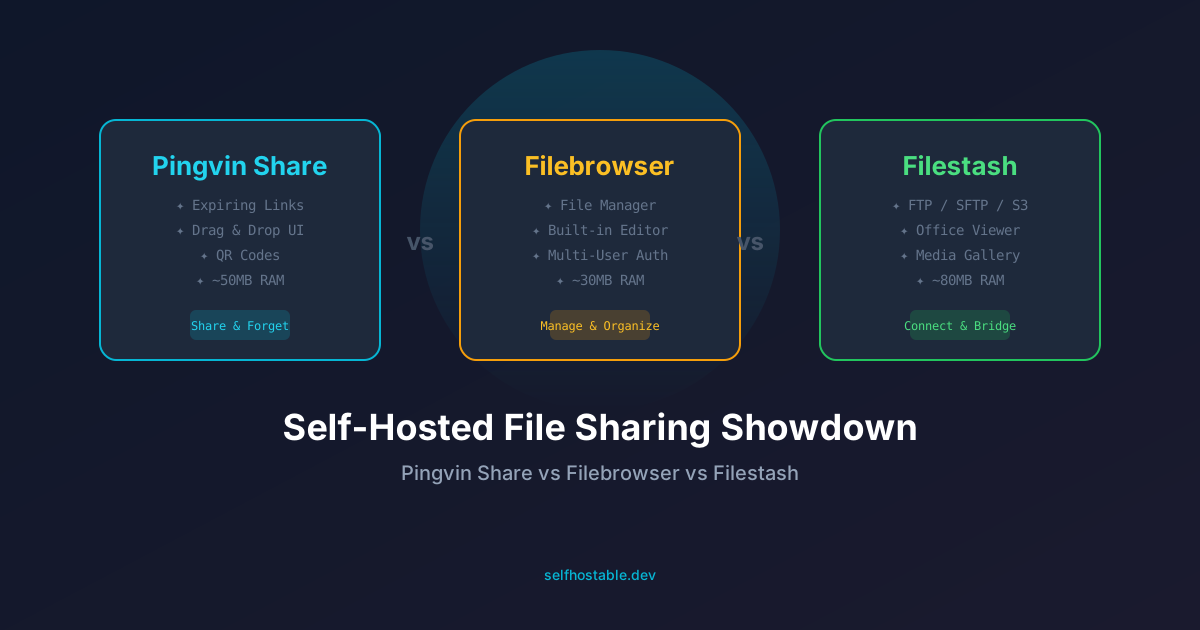
Self-Hosted File Sharing: Pingvin Share vs Filebrowser vs Filestash
I tested three self-hosted file sharing tools for months. Pingvin Share is the new hotness, Filebrowser is the reliable workhorse, and Filestash handles the weird edge cases. Here's which one I actually use and why.
I’ve lost count of how many times I needed to send someone a file. A 30-second screen recording for a friend. A 200MB design mockup for a client. A PDF contract that shouldn’t pass through Google Drive’s OCR machines.
For years I just used WeTransfer. You know the drill — upload, wait, copy the link, hope it doesn’t expire before the other person downloads it. Then one day I hit their 2GB limit and they wanted $12/month. For file sharing.
That’s when I decided to self-host this. And honestly? There are way more options than I expected.
Here’s my take after running all three for months: Pingvin Share for quick shareable links, Filebrowser for managing my media server, and Filestash for when I need to browse remote storage. Let me break it down.
The TL;DR Table
| Pingvin Share | Filebrowser | Filestash | |
|---|---|---|---|
| Best for | Temporary file sharing | Full file management | Remote storage access |
| Setup time | 5 minutes | 5 minutes | 10 minutes |
| RAM usage | ~50MB | ~30MB | ~80MB |
| Auth system | Built-in + OIDC | Built-in | Built-in + OIDC |
| File size limit | Configurable | None | None |
| Expiration links | ✅ Yes | ❌ No | ❌ No |
| Mobile friendly | ✅ | ✅ | ⚠️ Okay |
| Docker | ✅ | ✅ | ✅ |
Why I Started Looking
It started with a stupid problem. I was building a website for a friend and needed to send them a 150MB ZIP of assets. WeTransfer said “2GB free, or pay us.” Google Drive wanted them to sign in with a Google account. Discord compressed everything to hell.
I thought: I have a server. I have bandwidth. Why can’t I just run my own file sharing?
So I tried all three — and they’re surprisingly different tools under the hood.
🚀NordVPN
Secure your file transfers with a reliable VPN — especially when sharing sensitive documents from your home server.
Affiliate link — we may earn a commission at no extra cost to you.
Pingvin Share — The Modern Drop-in Replacement
Pingvin Share is the tool I wish existed years ago. It’s basically a self-hosted WeTransfer that doesn’t suck.
What I love: You upload a file, get a link, set an expiration time, and you’re done. No accounts required for the recipient. No size limits (unless you set them). It even auto-generates a QR code for the link, which sounds gimmicky until you’re sharing files with someone in the same room.
The interface is clean — dark mode by default, drag-and-drop uploads, and a nice progress bar. Setup is dead simple with Docker:
version: '3.8'
services:
  pingvin-share:
    image: stonith404/pingvin-share:latest
    ports:
      - "8080:3000"
    volumes:
      - ./data:/opt/app/data
    restart: unless-stopped
The gotcha: It’s designed for ephemeral sharing, not file management. You can’t browse, rename, or organize files once they’re uploaded. You upload, they download, and that’s it. If you want a proper file browser, look elsewhere.
Also — there’s no encryption at rest by default. If you’re sharing sensitive files over the internet, I’d strongly recommend pairing this with a VPN. I run mine behind Tailscale and only expose it through my reverse proxy with basic auth on top.
Filebrowser — The Swiss Army Knife
Filebrowser is the opposite of Pingvin. It doesn’t do temporary sharing at all. What it does is give you a web UI for your server’s filesystem. And it does that really well.
I use it to manage the media folders on my NAS. Need to upload a movie? Drag it into Filebrowser. Want to rename a bunch of TV show files? Click, rename, done. Need to give a friend access to a specific folder? Create them a user account with restricted permissions.
The killer feature for me is the built-in text editor and image viewer. I can SSH into my server and edit config files through the terminal, sure. But when I’m on my phone and need to tweak a Docker compose file? Loading Filebrowser’s web editor is way faster.
version: '3.8'
services:
  filebrowser:
    image: filebrowser/filebrowser:latest
    ports:
      - "8081:80"
    volumes:
      - /path/to/your/files:/srv
      - ./filebrowser.db:/database/filebrowser.db
    restart: unless-stopped
The downside: No link sharing. At all. You can give someone a login and they can download files through the UI, but there’s no “share this link that expires in 24 hours” feature. It’s a filesystem manager, not a sharing tool.
Also, the default theme looks like it’s from 2014. There are themes you can apply, but it’s not as polished as Pingvin.
Filestash — The Connector
Filestash is the weird one in this list. It’s not really a file manager or a sharing tool — it’s a bridge between storage backends and a web interface.
Need to browse files on an FTP server through a clean web UI? Filestash. Want to access your S3 bucket without installing the AWS CLI? Filestash. Got files on WebDAV, SFTP, Google Drive, or even LDAP-connected storage? Filestash.
I originally set it up to give non-technical family members access to a folder on my NAS via SFTP without teaching them how to use an FTP client. Filestash handles that perfectly — they just open a URL, log in, and see a clean file browser.
It also has a built-in Office document viewer, video player, and image gallery. Way more full-featured than Filebrowser on the media consumption side.
version: '3.8'
services:
  filestash:
    image: machines/filestash:latest
    ports:
      - "8082:8334"
    volumes:
      - ./data:/app/data
    restart: unless-stopped
    environment:
      - APPLICATION_URL=https://filestash.yourdomain.com
The trade-off: It’s more complex to configure. The Docker compose above is minimal, but connecting to different backends requires additional config. Also, it’s heavier on resources than Filebrowser. On my 2GB VPS, I noticed the difference.
Which One Should You Pick?
Honestly, it depends on what you actually need:
You share files with non-technical people daily? → Pingvin Share. Nothing beats a clean interface with expiring links. Your recipients won’t even know it’s self-hosted.
You need to manage files on your server from a browser? → Filebrowser. It’s lightweight, fast, and just works. I have it running on my media server for quick file operations.
You need a single interface for multiple storage backends? → Filestash. It’s the only tool here that connects to FTP, SFTP, S3, WebDAV, and more from one dashboard.
You want all three? → Run them side by side. They use so few resources that running all three on a $5 VPS is totally doable. That’s what I do.
🚀NordVPN
Exposing a file sharing tool to the internet? Keep your server secure with NordVPN.
Affiliate link — we may earn a commission at no extra cost to you.
What I’d Change
Nothing’s perfect. Here’s what bugged me about each:
- Pingvin Share: No file browsing. Once you upload a file, you can’t organize or manage it. Also, no encryption at rest.
- Filebrowser: The sharing model is outdated. No expiring links, no password-protected shares. It’s a management tool pretending to be a sharing tool.
- Filestash: The setup is more involved than it should be. Connecting to SFTP requires knowing the exact path format, which took me way too long to figure out.
My Final Setup
Here’s what I’m running right now:
- Pingvin Share at
share.mydomain.com— for sending files to clients and friends. Links expire in 7 days by default. - Filebrowser at
files.mydomain.com— for managing my media server files. Admin-only access behind NordVPN. - Filestash at
storage.mydomain.com— for the family SFTP bridge. My parents use it to upload photos to my NAS.
Total resources: ~160MB RAM across all three. That’s less than a single Chrome tab.
If I had to pick just one? I’d go with Pingvin Share. It solves the most annoying problem — sending files to people without signing them up for anything. But honestly, the real power move is running all three and using each for what it’s best at.
Written June 3, 2026, running on a Hetzner CX22. Started with just Filebrowser, added Pingvin for sharing, then Filestash for the family bridge. Still tweaking the auth setup.
Stay in the loop 📬
Get self-hosting tutorials, tool reviews, and infrastructure tips delivered to your inbox. No spam, unsubscribe anytime.
Join 0 self-hosters. Free forever.