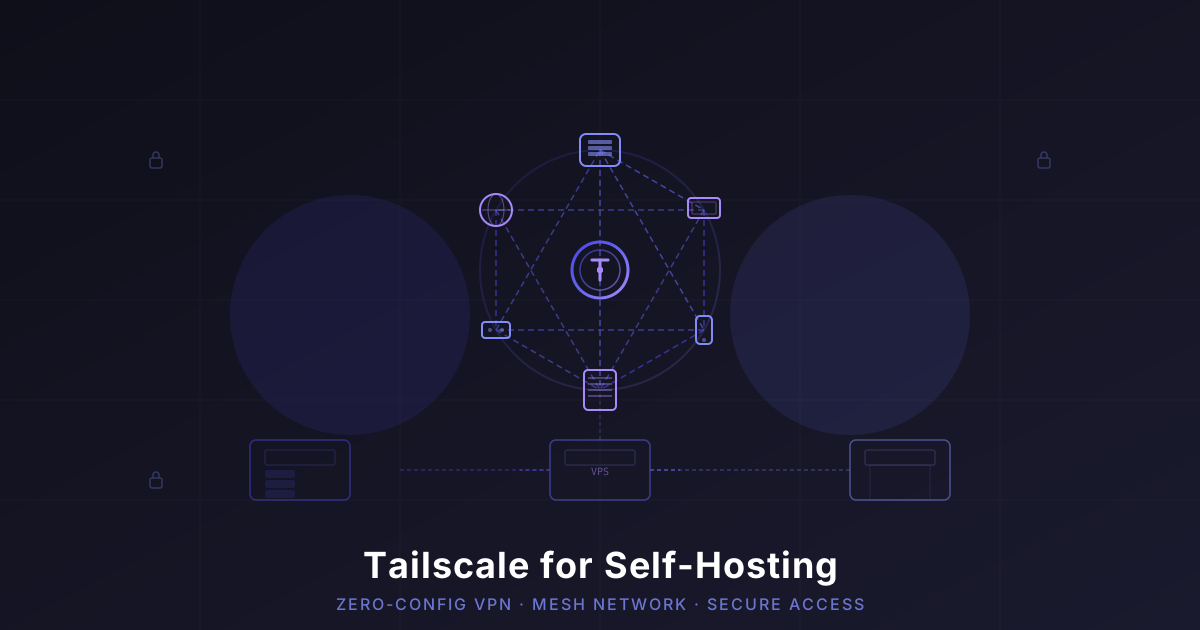
Tailscale for Self-Hosting: The Easiest Way to Access Your Homelab Remotely
Stop opening ports and messing with complex VPN configs. Tailscale gives you secure, zero-config access to every self-hosted service from anywhere. Here's how I set it up and why I won't go back.
I’ve been self-hosting for years. And for years, I had the same problem: how do I access my stuff when I’m not home?
I tried port forwarding — opened up a few ports on my router, slapped some basic auth on my services. Worked okay until I checked my logs and realized bots were hammering my SSH port from twelve different countries at 3 AM.
Then I tried WireGuard. Loved the speed, hated the config dance. Every new device meant generating keys, editing configs on both ends, and praying I didn’t fat-finger an IP. For a single server, fine. For a growing homelab with multiple machines? Painful.
Then I found Tailscale. And honestly? It changed everything.
What Is Tailscale, Actually?
Tailscale is a mesh VPN built on top of WireGuard. But that description doesn’t do it justice. Here’s what it feels like in practice:
You install it on your devices. You log in. They find each other. Done.
No config files. No open ports. No static IPs. No certificates. The devices just… connect. Automatically. Over encrypted WireGuard tunnels.
Tailscale uses a coordination server to handle the handshake (telling device A “hey, device B is at this address”), but the actual traffic is direct, peer-to-peer whenever possible. Your data never touches their servers. And since it’s built on WireGuard, the encryption is solid.
Why Self-Hosters Should Care
If you’re running a homelab or a VPS with self-hosted services, Tailscale solves three big problems at once:
1. No More Open Ports
This is the killer feature. With Tailscale, you don’t expose a single port to the internet. Your services only listen on the Tailscale network interface. If someone scans your public IP, they find nothing. Zero attack surface.
That SSH brute-force nonsense I mentioned? Completely gone. My SSH port isn’t even reachable from the open internet anymore.
2. Zero Configuration Per Device
Adding a new device takes about 90 seconds:
- Install Tailscale (
curl -fsSL https://tailscale.com/install.sh | sh) - Run
sudo tailscale up - A browser tab opens. Log in. Click “Connect.”
- Your device appears in your tailnet. It can talk to all your other devices.
That’s it. No key exchange, no config push, no wondering why the subnet is wrong.
3. Works Through NAT, Firewalls, CGNAT
This is the part that blew my mind. My home server is behind carrier-grade NAT (CGNAT) — my ISP doesn’t even give me a public IPv4. Traditional port forwarding? Impossible.
Tailscale handles this with a relay (DERP servers) when a direct connection can’t be established, then transparently upgrades to a direct peer-to-peer connection when possible. Everything just works.
How I Set Up Tailscale for My Homelab
Here’s my actual setup — nothing theoretical:
The Tailnet
I have a single tailnet (Tailscale’s term for your private network) with:
- My home server — an old Dell OptiPlex running 30+ Docker containers
- A $6/mo VPS — runs a few public-facing services behind a reverse proxy
- My laptop — for SSH, dev work, and accessing dashboards
- My phone — quick checks on Uptime Kuma, Home Assistant, and Jellyfin
- A Raspberry Pi — handles Pi-hole and occasional monitoring
Every device gets a Tailscale IP in the 100.x.y.z range. They all talk to each other over encrypted WireGuard tunnels. I manage everything from 100.100.1.1:9000 (Portainer) without exposing a single port.
Subnet Routing (Game Changer)
Here’s where it gets really useful. I have a small NAS on my home network that can’t run Tailscale itself. Instead of reconfiguring everything, I enabled subnet routing on my home server:
sudo tailscale up --advertise-routes=192.168.1.0/24Now any device on my tailnet can reach my NAS at 192.168.1.10 as if they were on the same local network. No extra software needed on the NAS. This also works for printers, IoT hubs, and any device that can’t run Tailscale.
MagicDNS
I also turned on MagicDNS. Instead of remembering 100.100.2.3:8080 for Grafana, I just type grafana.tailnet-name.ts.net. Tailscale handles the DNS automatically across all my devices. Honestly feels like magic.
Exit Nodes
When I’m on public WiFi (coffee shops, hotels, airports), I route my traffic through my home server as an exit node. This gives me:
- Encrypted traffic on sketchy networks
- My home IP for accessing geo-restricted services
- No need for a commercial VPN subscription
To set this up on your home server:
sudo tailscale up --advertise-exit-nodeThen in the admin console, approve the exit node. On your laptop, enable it with one click in the Tailscale client.
What I Don’t Love About Tailscale (Honest Take)
I’m not here to sell you on Tailscale without being real about the downsides.
It’s not fully open-source. The server-side coordination service is proprietary. The clients are open-source, but the magic that makes it “just work” runs on Tailscale’s infrastructure. If that bothers you (and it’s a valid concern), check out Headscale — an open-source implementation of the Tailscale control server that you can self-host.
Dependence on their coordination server. If Tailscale’s servers go down, you can’t add new devices or make changes. Existing connections might keep working for a while (since they’re direct peer-to-peer), but it’s a single point of failure.
For most homelab users, this isn’t a dealbreaker. But if you’re building infrastructure for a business, you might want Headscale.
Tailscale vs Traditional VPN (When You Still Need One)
Tailscale is amazing for device-to-device networking. But it’s not a replacement for a traditional VPN in every scenario.
If you want to:
- Route all your traffic through a privacy-focused VPN — Tailscale isn’t designed for that. You’d want a service like NordVPN with Meshnet features that combines mesh networking with real privacy protection.
- Access region-locked content — Tailscale exit nodes work, but they route through your home IP, not a VPN provider’s server pool.
- Hide your traffic from your ISP — Tailscale encrypts traffic between your devices, but internet-bound traffic still goes through your ISP unless you use an exit node.
Tailscale and NordVPN actually complement each other nicely. I use Tailscale for my internal homelab access and NordVPN for when I want privacy online (and the Meshnet feature means I can still access my home server through NordVPN’s network too).
Getting Started
If you want to try Tailscale for your homelab, here’s the quickstart:
- Create a Tailscale account at tailscale.com — free tier supports up to 3 users and 100 devices
- Install on your server —
curl -fsSL https://tailscale.com/install.sh | shthensudo tailscale up - Install on your devices — Mac, Windows, Linux, iOS, Android — all have native clients
- Enable MagicDNS in the admin console
- Optionally advertise routes or set up an exit node
That’s it. Your devices can now talk to each other securely from anywhere.
🚀NordVPN
For privacy-first internet access and Meshnet features that complement your tailnet perfectly.
Affiliate link — we may earn a commission at no extra cost to you.
The Bottom Line
Tailscale is the single best networking decision I’ve made for my homelab. It killed port forwarding cold. It replaced my complex WireGuard setup. It works through CGNAT. And adding a new device takes less time than making coffee.
Is it perfect? No. The proprietary control server gives some people pause, and you shouldn’t rely on it for mission-critical infrastructure without looking into Headscale. But for a self-hosted homelab? Nothing comes close for ease of use.
I can SSH into my server from my phone on a train. I can check my Grafana dashboards from a hotel room. I can let a friend access my Jellyfin library without explaining what a port is.
And the best part? My home network has exactly zero open ports. Not one.
Try it. You’ll wonder why you waited so long.
Stay in the loop 📬
Get self-hosting tutorials, tool reviews, and infrastructure tips delivered to your inbox. No spam, unsubscribe anytime.
Join 0 self-hosters. Free forever.