Block vs Object vs File Storage for Your VPS
Compare block, object, and file storage for a self-hosted VPS. Match databases, uploads, and backups to the right interface without creating a fragile storage setup.
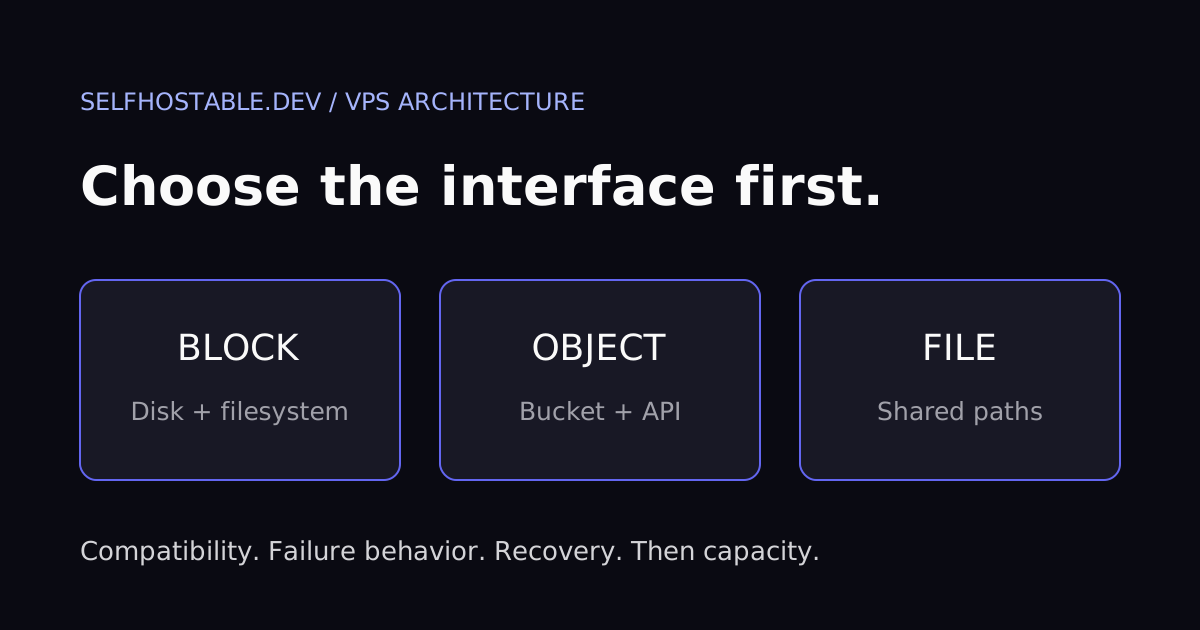
Block vs object vs file storage sounds like a shopping question. For a self-hosted VPS, it is really an application compatibility question: does your software expect a disk, an API, or a shared directory?
My default is simple. Keep database files on supported local or attached block storage, use object storage where the application explicitly supports it, and choose network file storage when shared filesystem access is actually a requirement. Buying the cheapest capacity first is how you end up debugging the wrong interface.
This is an architecture comparison, not a storage benchmark or a claim that I tested competing providers. The examples below are hypothetical deployment scenarios. Prices, latency, durability, and attachment rules depend on the specific product, not just the storage category.
The short answer
| Requirement | Starting point | Question to resolve first |
|---|---|---|
| PostgreSQL data directory | Supported local disk or attached block volume | Does the storage meet PostgreSQL’s filesystem and durability requirements? |
| Application uploads | Local filesystem or native object storage integration | Does the app support that exact backend? |
| Shared documents across servers | Network file storage | Are permissions, locking, and failure behavior suitable? |
| Offsite backup repository | Backend supported by your backup tool | Can you restore independently of the original VPS? |
| Disposable cache | Local storage | Can the application rebuild it safely? |
I would rather run one ordinary filesystem correctly than add three storage services to a small server because an architecture diagram looked convincing. Separation should solve a real constraint: capacity, sharing, recovery, or application integration.
Our VPS vs dedicated server vs homelab comparison addresses where the compute belongs. This article addresses how that compute accesses its data. Those decisions interact, but they are not interchangeable.
Block storage: a disk interface, not a managed directory
Block storage exposes a device that the operating system can use as storage. On a typical Linux VPS, you create or use a filesystem on that device, mount it, and point applications at directories inside it. The provider manages the storage service; you still manage the guest filesystem and its use.
That makes an attached volume familiar to software expecting normal file operations. A database does not need an S3 integration just because the underlying disk happens to live on a provider’s network. It sees the filesystem presented by the operating system.
AWS’s storage comparison explains the basic distinction between block devices, object APIs, and shared file interfaces. Use those interface definitions as a starting point, not a universal performance ranking. A slow block product can still be the wrong choice for a demanding database.
Where I would use it
An application database, a growing upload directory, or a service that cannot use object storage natively can be reasonable candidates. An extra volume can separate application capacity from the root disk. That does not automatically separate every failure domain or make the service highly available.
Check whether the volume can attach to your replacement instance, which locations support it, and whether you can shrink it after expansion. Also check documented throughput, IOPS limits, and snapshot behavior. None of those properties follows from the word “block.”
The mount failure that matters
Imagine an application writing to /srv/uploads on an attached volume. After a reboot, the volume fails to mount, but the directory still exists on the root filesystem. If the app starts anyway, new uploads can land on the wrong disk.
This is a hypothetical failure scenario, not a personal incident. The fix is architectural: make startup depend on the intended mount, verify the mounted source, and fail closed when storage is unavailable. A directory existing is not proof that the expected volume is present.
On Linux, these read-only inspection commands help you see the current mapping:
lsblk -f
findmnt -T /srv/uploads
df -hT /srv/uploads
Replace the path with your real application directory. Inspect the reported source and filesystem rather than treating any successful output as a pass. These commands do not format, migrate, or repair anything.
I deliberately avoid a copy-paste formatting command here. Picking the wrong device for filesystem creation destroys data, and a generic blog cannot identify your blank disk safely.
Object storage: use the API your app actually supports
Object storage organizes data as objects addressed by keys, usually inside buckets. Applications interact through an API rather than assuming a conventional writable filesystem. Names may contain slashes that resemble directories, but that does not turn the bucket into a POSIX filesystem.
This is a good fit for applications designed to store uploads through an object API and for backup tools with a supported object backend. It is not a drop-in destination for every folder on your VPS. Your PostgreSQL data directory does not become suitable for object storage because a mounting tool can display a bucket under /mnt.
My preference is native integration. If the application supports your provider’s endpoint, authentication method, and required operations, let it talk directly to the service. A filesystem translation layer adds another set of semantics and failure modes to understand.
S3-compatible does not mean identical
Compatibility is a checklist, not a promise that every application feature works. Verify endpoint configuration, region handling, multipart uploads, presigned URLs, and any versioning or retention features your workflow requires. Test the actual application release you deploy.
A successful upload proves only part of the path. Test downloads, deletion, background processing, and access from the clients that need the files. A browser using a presigned URL may need to reach an endpoint that a private application worker can access differently.
If your application stores object keys in its database, the bucket and database form one recovery problem. Restoring yesterday’s database while keeping only today’s object state can leave missing files or orphaned objects. Plan a supported, consistent recovery process rather than assuming separate backups will line up automatically.
Our Garage vs MinIO vs managed S3 comparison covers choices within the object-storage category. Here, the first decision is whether your workload belongs in that category at all.
A bucket is not a backup policy
Moving live uploads to a bucket moves their primary storage. It does not necessarily create a recoverable second copy. An application bug or credential with deletion rights can still remove live data.
Versioning, retention controls, separate credentials, and independent copies can help, but only when the chosen service supports them and you configure them deliberately. Write down who can delete what. Then test recovery from an accidental deletion without using your production application as the test subject.
File storage: shared paths, shared operational questions
Network file storage presents files and directories through protocols such as NFS or SMB. It is useful when several machines need supported access to a shared namespace. That is different from handing each machine an independent disk.
Permissions, user identity mapping, locking, caching, and network failure behavior all become relevant. “It mounts” is a weak acceptance test. The application must support the protocol and mount configuration you intend to use.
For ordinary documents or media, a network share can be a practical design. For a database, inspect the database’s exact requirements before putting its data directory there. Some configurations are supported; others are not, and generic advice about network storage is not enough to decide.
I would not introduce a shared filesystem merely because two containers run on one VPS. They can often share an appropriately configured local directory or volume. Network file storage earns its complexity when the access pattern actually spans machines or requires a managed shared service.
Shared storage does not make an app multi-server safe
Consider two instances of an application pointed at the same upload share. The files are visible from both hosts, but the application may still require coordination for sessions, caches, job execution, and database writes. A shared directory solves file visibility, not the entire scaling problem.
The same warning applies to block volumes with special multi-attach features. Attaching a device to multiple hosts does not make an ordinary filesystem safe for concurrent writes. You need explicitly supported storage, filesystem, and application arrangements.
My rule: start with the application’s documented deployment model. Do not reverse-engineer one from a provider checkbox.
Compare the bill you will actually pay
Capacity is only one part of the comparison. Depending on the product, costs can include provisioned performance, operations, transfer, snapshots, minimum storage duration, or retained versions. Check current terms for your region and workload instead of assuming every provider charges for the same things.
For an upload-heavy application, estimate how often users read old files and how much data leaves the storage service. For backups, include retention and the transfer required for a full restore. A low steady-state bill is not the same as an affordable recovery.
Avoid pretending these categories have universal speed rankings. Local SSD, network block storage, object services, and managed file shares have different products and limits within each category. Measure representative operations on the actual plan before committing important data.
Useful tests include application startup, a realistic upload, a background processing job, and a restore. Run them with disposable data. An empty directory listing tells you little about the behavior of a busy application.
Recovery should decide the design
Ask what happens if the VPS disappears. Can you provision another machine, attach or restore storage, recover secrets, and start the application without access to the old host? A storage choice that makes this easier has value beyond capacity.
Then ask what happens if the storage account is unavailable or credentials are compromised. Keeping all copies under one unrestricted account can leave a bigger blast radius than the diagram suggests. Separation is useful only when permissions and recovery dependencies support it.
Use our backup guide to turn the design into a rehearsal. Include application configuration, database state, uploads, encryption keys, and any required object metadata. Backing up only the largest directory is not necessarily backing up the service.
For each storage backend, document:
- The application data it owns and the supported consistency method.
- The credentials required for normal operation and for recovery.
- The independent backup destination and retention policy.
- The steps for restoring onto a clean server.
- The checks that demonstrate the restored application is usable.
Private access is a separate decision
Do not publish an NFS or SMB service to the internet just because the storage needs to reach another server. Use an appropriate private network or deliberately configured secure transport, and restrict access. Object endpoints need their own authentication and permission policy too.
A commercial VPN can serve a separate use case, such as protecting your administrator device’s network traffic on an untrusted connection. It is not a substitute for storage authentication, bucket permissions, or a private inter-server access design. The following is an affiliate link, relevant only if you need that separate service.
🚀NordVPN
A commercial VPN option for your device on untrusted networks, not a replacement for storage permissions or a private server network.
Affiliate link — we may earn a commission at no extra cost to you.
My verdict: choose the interface before the capacity
For a small VPS, I would start with a straightforward filesystem and tested backups. Add block capacity when disk space is the real constraint, native object storage when the application benefits from that integration, and network file storage when shared filesystem access is a documented requirement.
There is no prize for using all three. There is a very real maintenance bill for every extra storage dependency you introduce.
Your next step: inventory one application’s database, uploads, cache, and backups. Write down the interface each component requires, then rehearse recovery before moving production data. The right storage is the one your application can use correctly and you can recover without improvising.
Stay in the loop 📬
Get self-hosting tutorials, tool reviews, and infrastructure tips delivered to your inbox. No spam, unsubscribe anytime.
Join 0 self-hosters. Free forever.